Reimagining Construction Management for Homeowners
Bnkle, 2023Summary
Building a home without being physically present means little visibility into progress and no easy way to trust who's managing it. Bnkle gives aspiring homeowners a construction management platform to create structured briefs, monitor progress and get real-time updates, while offering contractors and project managers the detailed views they need to work.
Responsibilities
- Designed the Gantt chart view that gave project managers a resource-planning perspective across the full project
- Designed the prototype flow, letting users start from an existing brief instead of a blank screen
- Collaborated on flow for creating a project
- Worked on program of works, including task tracking and the Kanban view, as a two-designer effort
Impact
- Prototypes reduced time for project creation
- Gantt timelines became the internal team's working view for resource planning
- Construction briefs moved from email chains into one documented flow
- My Role
- Interface design
- Research
- User tests
- Team
- Product Manager (1)
- Designers (2)
- Engineers (2)
- Timeline
- 8 months
Context
Building a home doesn't have to be daunting
Building a home should feel exciting, but for the group of people we talked to (Nigerians in diaspora) it came off as a stressful, time-consuming process filled with uncertainty and chaos. This case study explores parts of how we reimagined the experience of building a home through Bnkle, a tool designed to bring real-time clarity and order to project owners during the construction process.
The Problem
Without transparency, construction projects feel like a risky bet
80% of construction projects overshoot their deadlines due to a variety of factors. While some of these factors, such as bad weather conditions, are beyond human control, a good number of them, like poor planning, scheduling issues, and budget inaccuracies, are a result of current construction management processes (tools) not optimizing for clarity among the parties involved in the process.
I sent him some money the previous month and he was already asking for more. A project that should have been completed by now.
How might we foster clarity and trust between contractors and project owners?
The Solution
Bringing Clarity to Construction Chaos
The goal was to improve clarity and trust between the various parties involved in the construction process and we sought to achieve this by creating a platform capable of empowering non-technical project owners to track and manage their construction projects with ease. We built a bridge where the technical and the non-technical could clearly understand each other.
The Design Process
Understanding the physical construction process helped shape the digital one
The design process started by getting to know the users and what they struggled with and then becoming familiar with how construction actually works.
Knowing the Users
We had decided to work with a niche user demography — Nigerians in diaspora wishing to build back home. There were a lot wishing for a home to call their own when they finally go back. Discussing with them we uncovered some characteristics they all shared:
- They were mostly non-technical in the construction space
- They didn't have the time to pay the amount of attention demanded by construction projects
- All had fears of the project going sideways due to the lack of their physical presence
Been here for 8 years, I just felt it was time to build a house back home.
Breaking Down the Construction Process
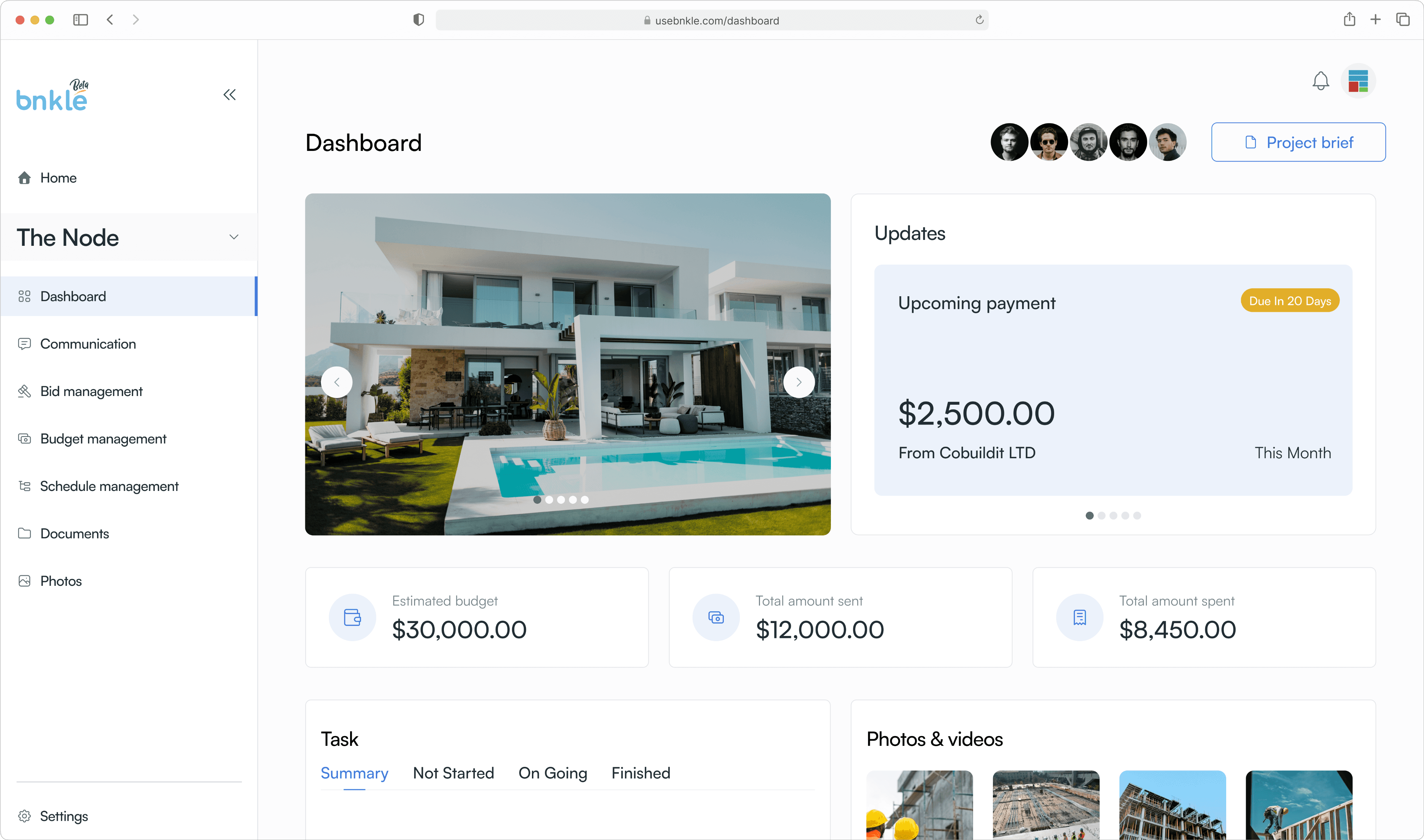
The next step was studying the existing construction process. Working closely with contractors and project managers, we summed up a typical project's lifecycle from client briefing to execution and handoff. With this foundation we set out to translate the entire experience into a digital platform that project owners could use effortlessly.
STARTING A PROJECT
For first time builders, the start of a project lived in too many places
One of the first interactions where we saw an opportunity to improve the experience for project owners was in the initial stages of communicating the details of the project in the form of a brief. We observed that a lot of first time builders used fragmented tools to communicate the initial idea of the build to contractors — some used WhatsApp messages or multiple email threads that lacked proper documentation, resulting in ambiguity, scope creep, and mismatched expectations.
So we created a guided flow that lets users create a brief for proper documentation that would live within the product and can be accessed at any time. We needed to ensure that it didn't feel as tedious and bulky as a formal document might feel when completing it.
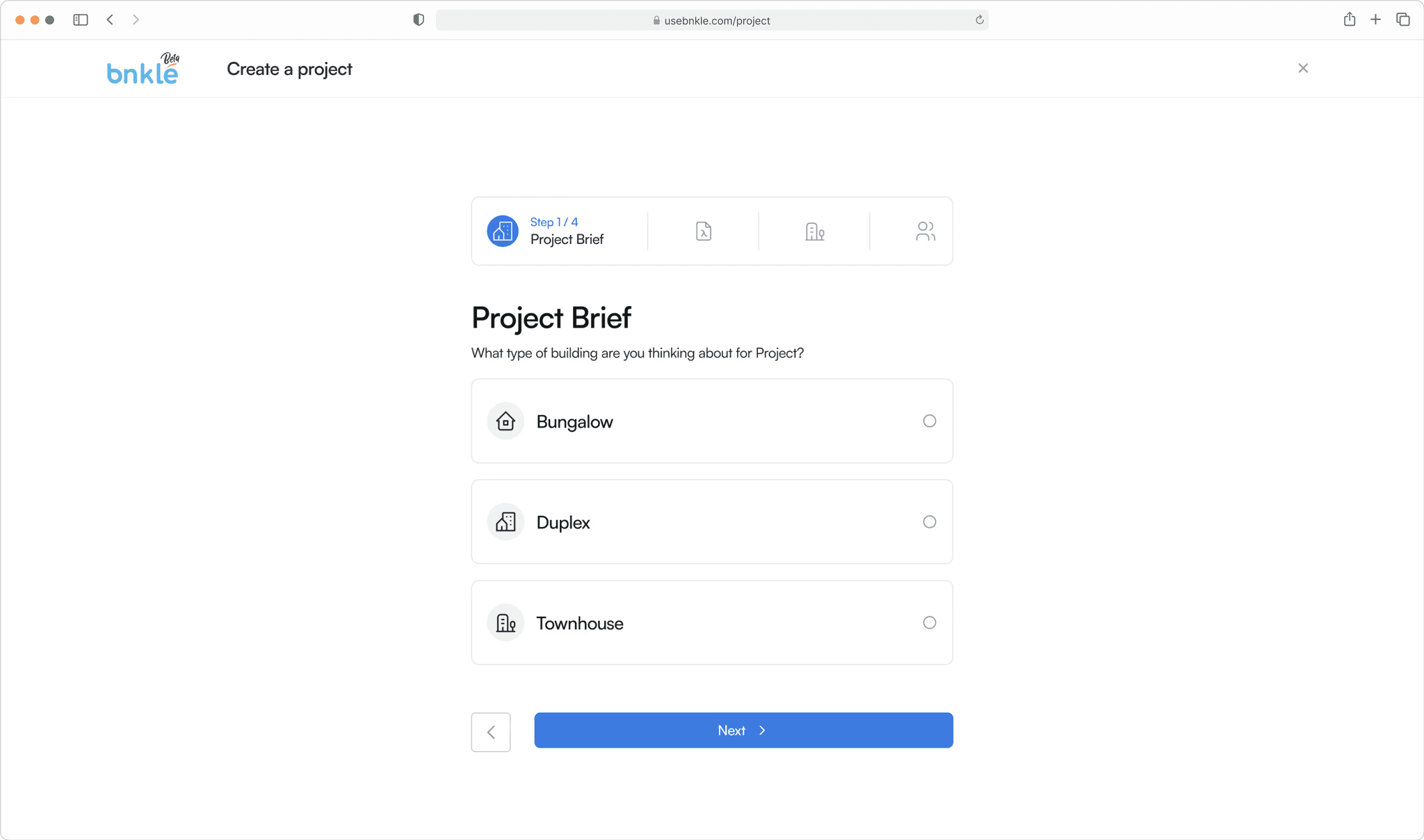
Creating project progressive form
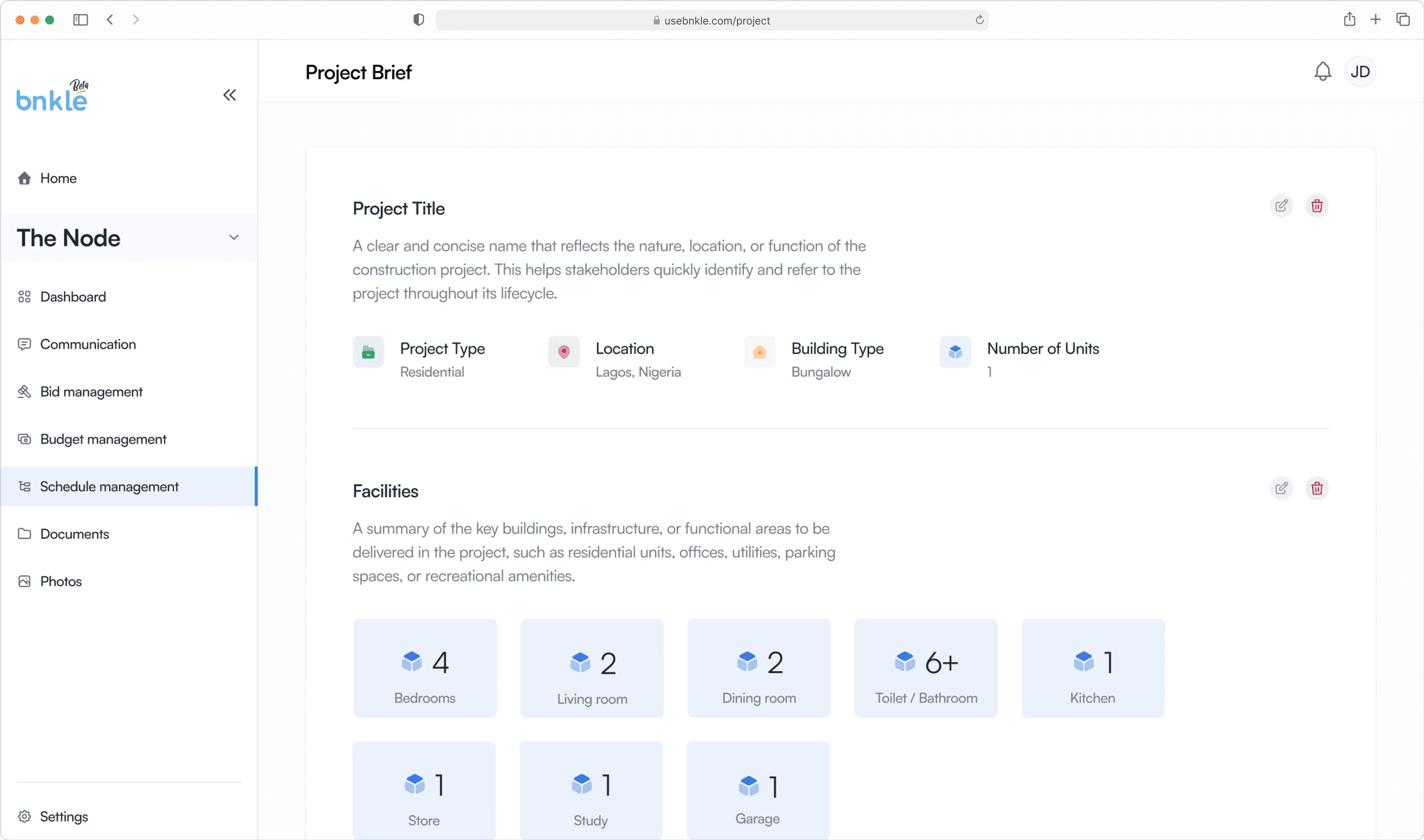
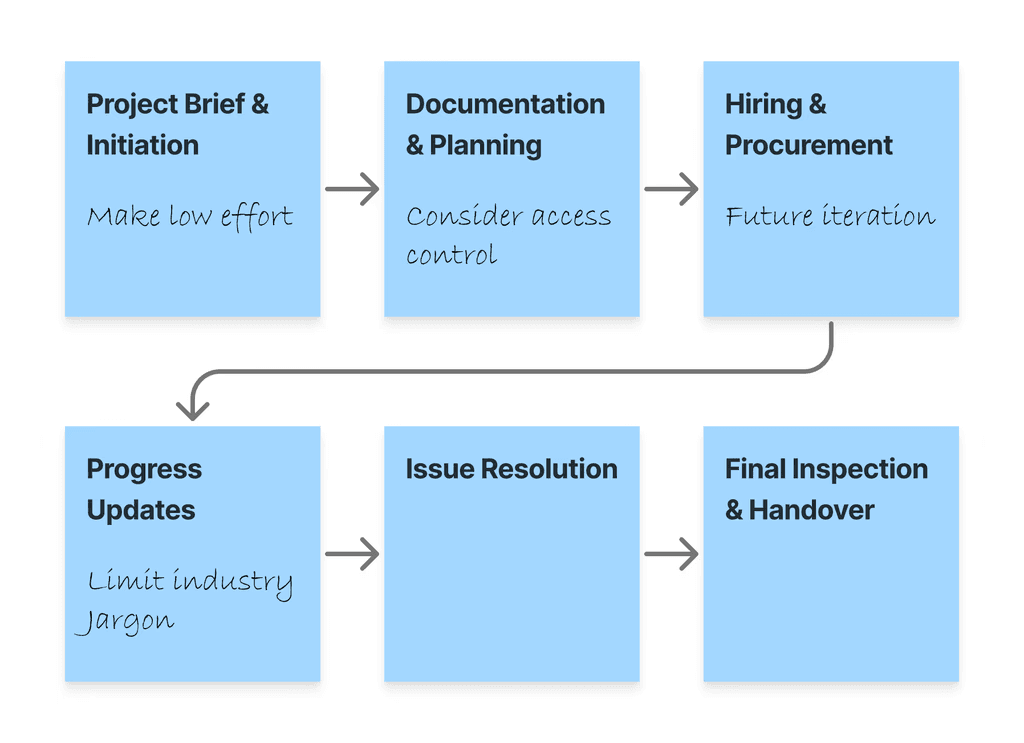
Project brief showing information of project
Introducing Prototypes
Even with an easy to complete brief creation process, we noticed that some users still struggled with creating their briefs, as they found it difficult to start from a blank screen. So we helped them with a bit of a Nudge.
We introduced Prototypes — already created project briefs that users could adopt or alter based on their preference. This made the process a lot easier for users as they had the option not to start from scratch while creating a project. This enabled users to complete the brief creation process 20% faster when they used prototypes.
Designing for Non-Experts
Industry standard tools were too technical for normal project owners
Once a project began, our focus shifted to visibility. Users wanted to see progress at a glance: What's done? What's next? Are things on schedule?
Existing tools like Microsoft Project felt too technical, so we designed a way of summarising each task's key metrics: completion status, timeline, and updates.
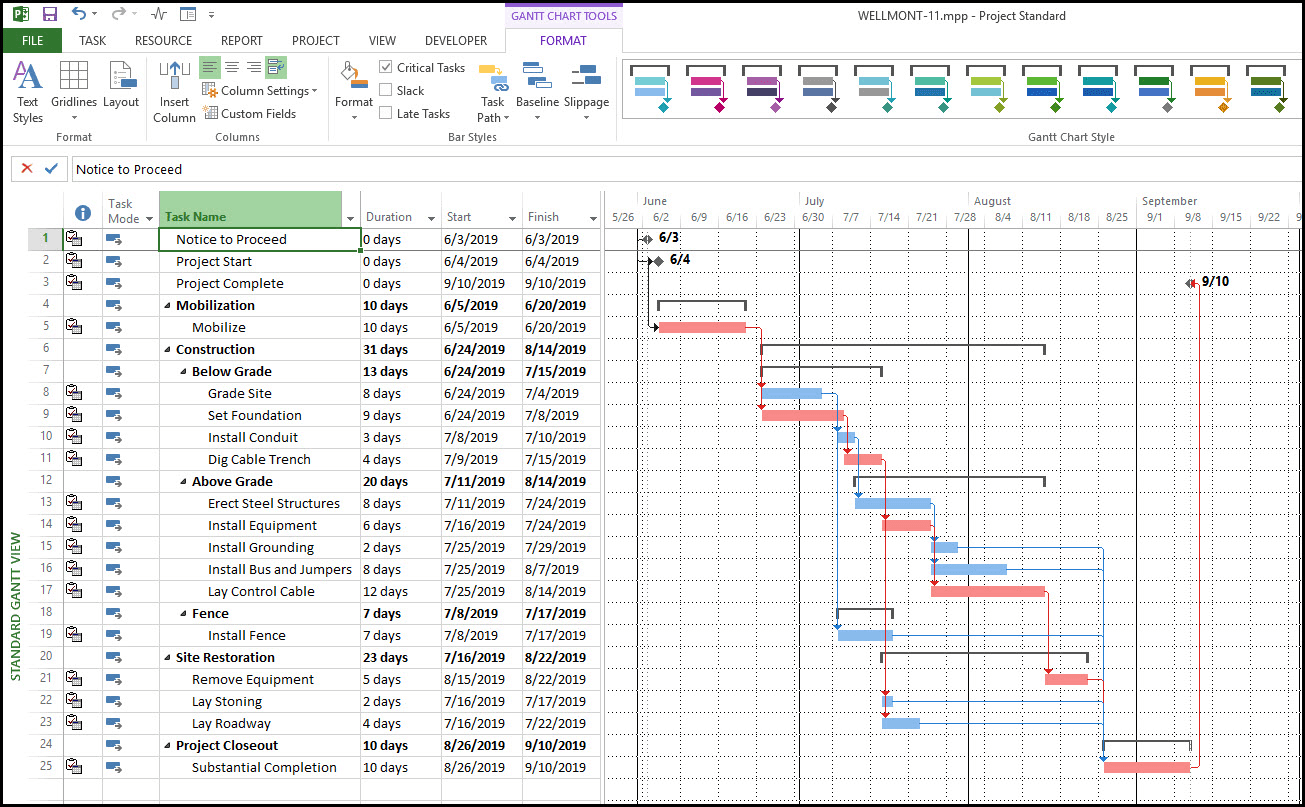
Microsoft Project: current industry standard (too technical)
Using project cards to present the information allowed users to monitor real-time progress without needing any technical knowledge. They could see the current state of each task and what blockers they might have.
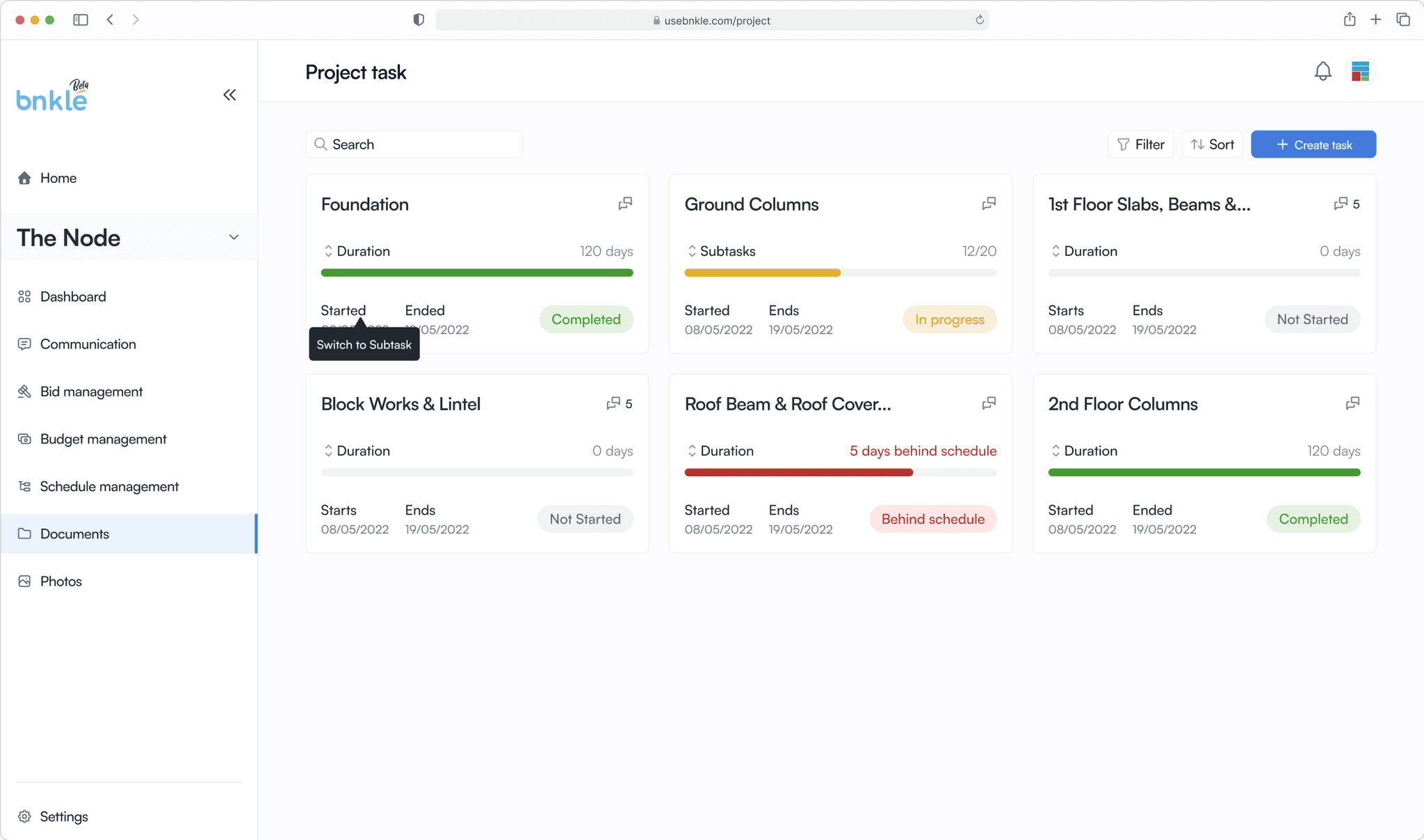
Task cards showing project health
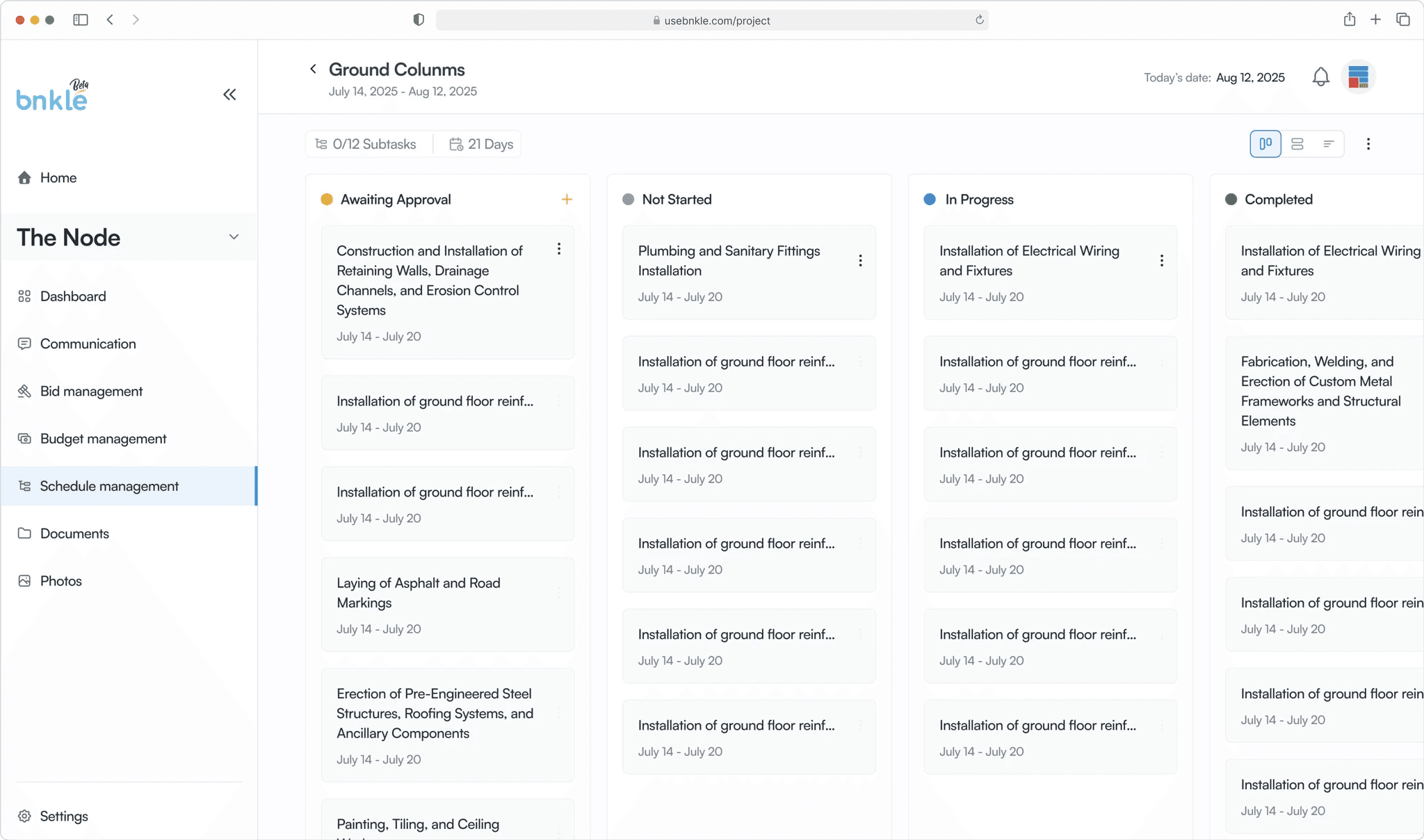
Subtask kanban view
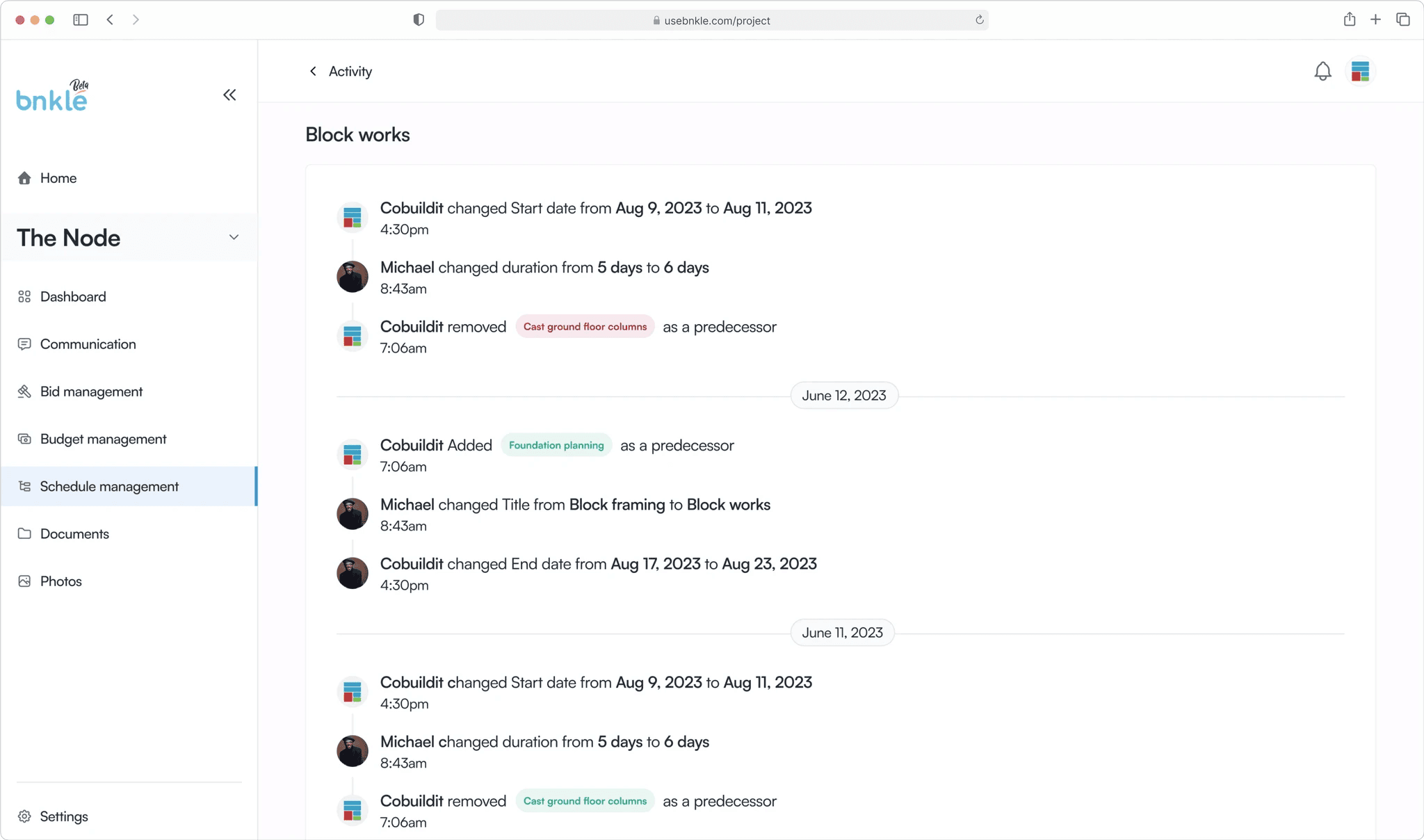
Subtask activity log
CHANGE IN PERSPECTIVE
Project managers needed to see things differently to make decisions
During testing, we discovered that while the card layout was intuitive for project owners, project managers needed deeper visibility to allocate resources efficiently. They desired to see a broader view of the entire project. This raised a new design question:
How might we give more technical users a holistic project overview?
We turned our research to tools both within the construction sector and outside it, looking at project management tools in general and how they had tackled this problem. Our exploration led us to visual timelines (Gantt charts). We used this to visually communicate the relationship that tasks shared with each other, their current state, and what blockers they might have.
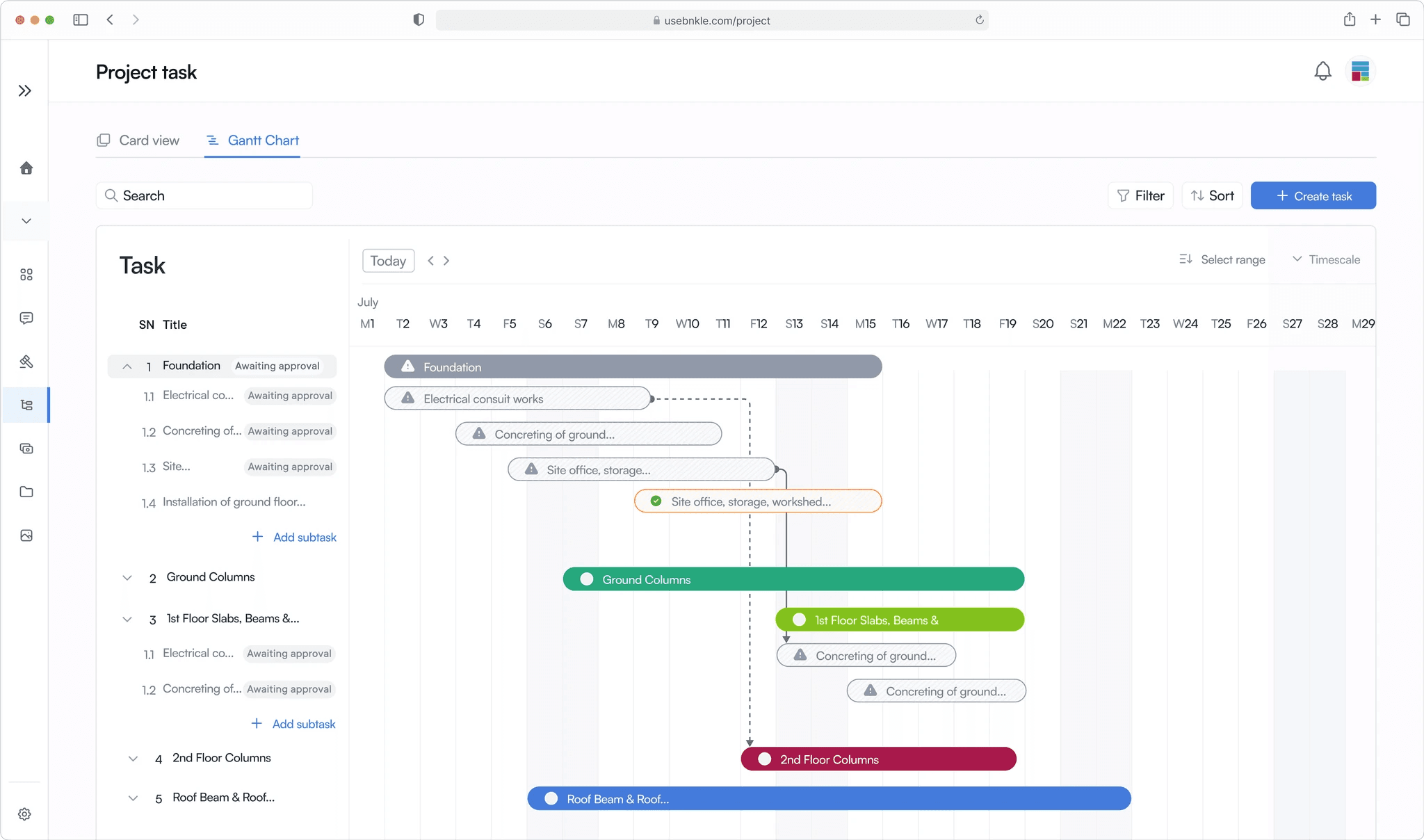
Gantt chart with side navigation collapsed for more real estate
Final Thoughts
Lessons Learned & Looking Ahead
Different needs, same product
While multiple users might be on the same product, their needs might vary to the extent that they would need to see things presented to them differently in order to execute their tasks.
Disrupting an industry requires frequent testing
When trying to introduce a new idea to an industry that has done things the same way for years, testing frequently is the only way to ensure that you remain on track and create a relevant solution.
Always start with understanding the field
When designing for a field that is not so familiar to you (in this case construction) taking time out to learn about the industry terms and standards goes a long way in positively influencing your design decisions.
Bnkle is still growing and bringing order to the construction space. To check it out here is a link to the product site: usebnkle.com