Scaling Construction Management for Enterprise
Bnkle Enterprise, 2025Summary
The current Bnkle Platform was designed to cater to Individual home builders, but large-developers had a different set of needs. We designed a B2B enterprise module built to manage dozens of units simultaneously, onboard teams, and track materials and costs across an entire portfolio.
Responsibilities
- Owned the roles and permissions flows: creating roles, assigning permissions
- Designed Quality control flow and site instructions for maintaining construction standards
- Designed solution for material management and inventory tracking
- Collaborated on mapping the information architecture and Clusters model across the enterprise module
- Contritbuted to maintaining the design system, running regular audits of the live product
Impact
- $2M+ in active construction projects now managed on the platform
- Took Bnkle from a single-owner B2C product to a multi-team enterprise platform
- A 40+ component design system in active use by five engineers
- My Role
- Product Design
- Design system
- Research
- Team
- Product Manager (1)
- Designers (2)
- Engineers (5)
- Timeline
- 4 months
Context
From individual builders to large-scale developer portfolios
Bnkle started as a B2C platform for individual homebuilders navigating their first construction project. But large-scale developers started approaching. They weren't building one house, they were managing entire portfolios. Estates. Multiple blocks. Dozens of units simultaneously. Different needs entirely. So we built a B2B module to serve them.
The Gap
One project, one owner didn't work anymore
Large-scale developers behave differently from individuals when it comes to construction projects. They run multiple identical projects at the same time in the same space, and the current Bnkle platform was not built for that. It assumed one owner, one unique project. Meanwhile these developers needed to: onboard their own teams, control access down to the permission level, structure projects that share resources, and track cost across an entire portfolio, not project by project.
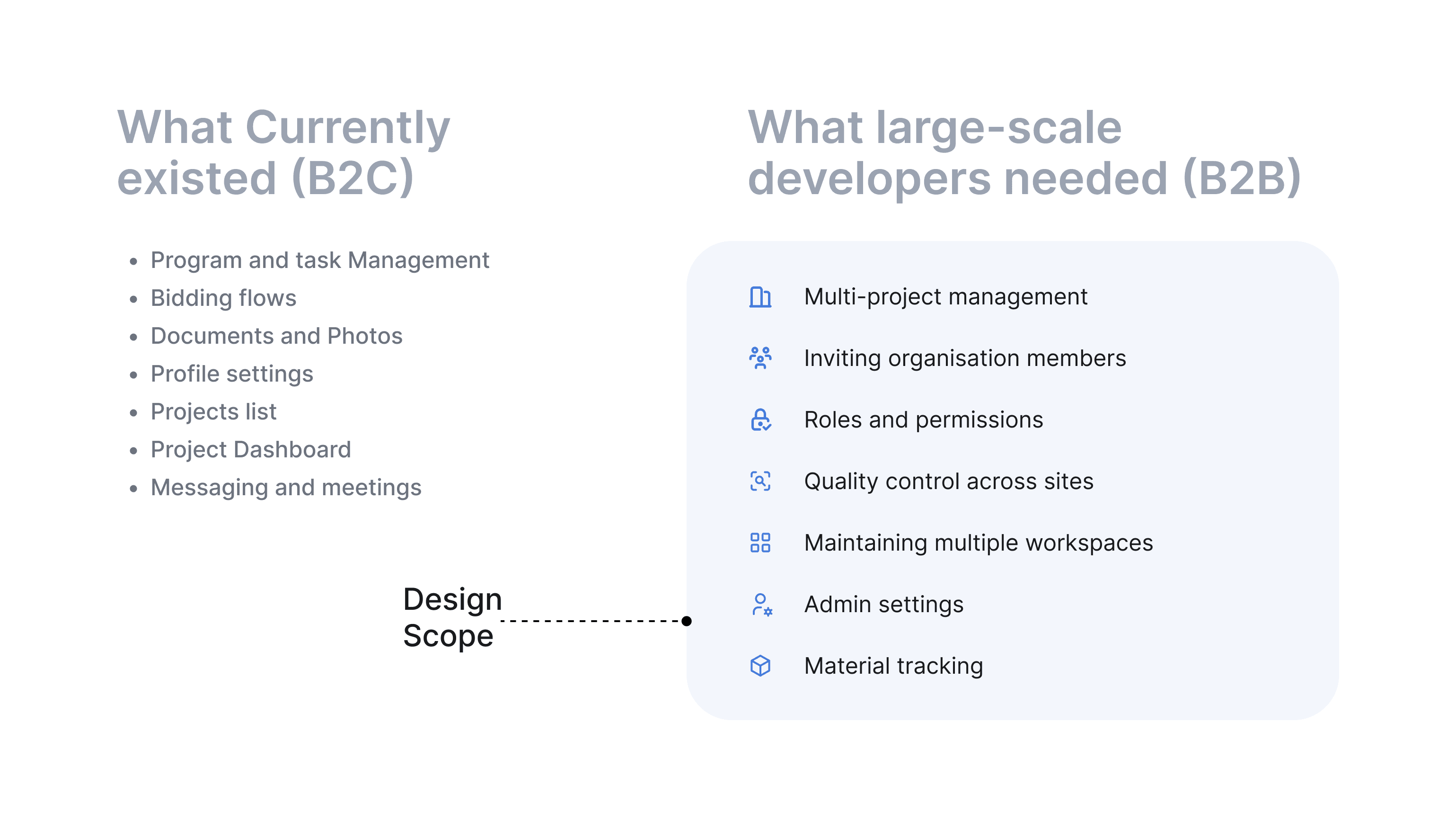
What currently existed vs. what large-scale developers needed
Clusters
Managing multiple projects at once needed to be done differently
To cater to the specific needs of Large-scale developers undertaking projects with multiple identical units, the concept of “Clusters” was introduced. A cluster was defined as a set of building projects in close proximity, usually owned by the same developer and progressing simultaneously.
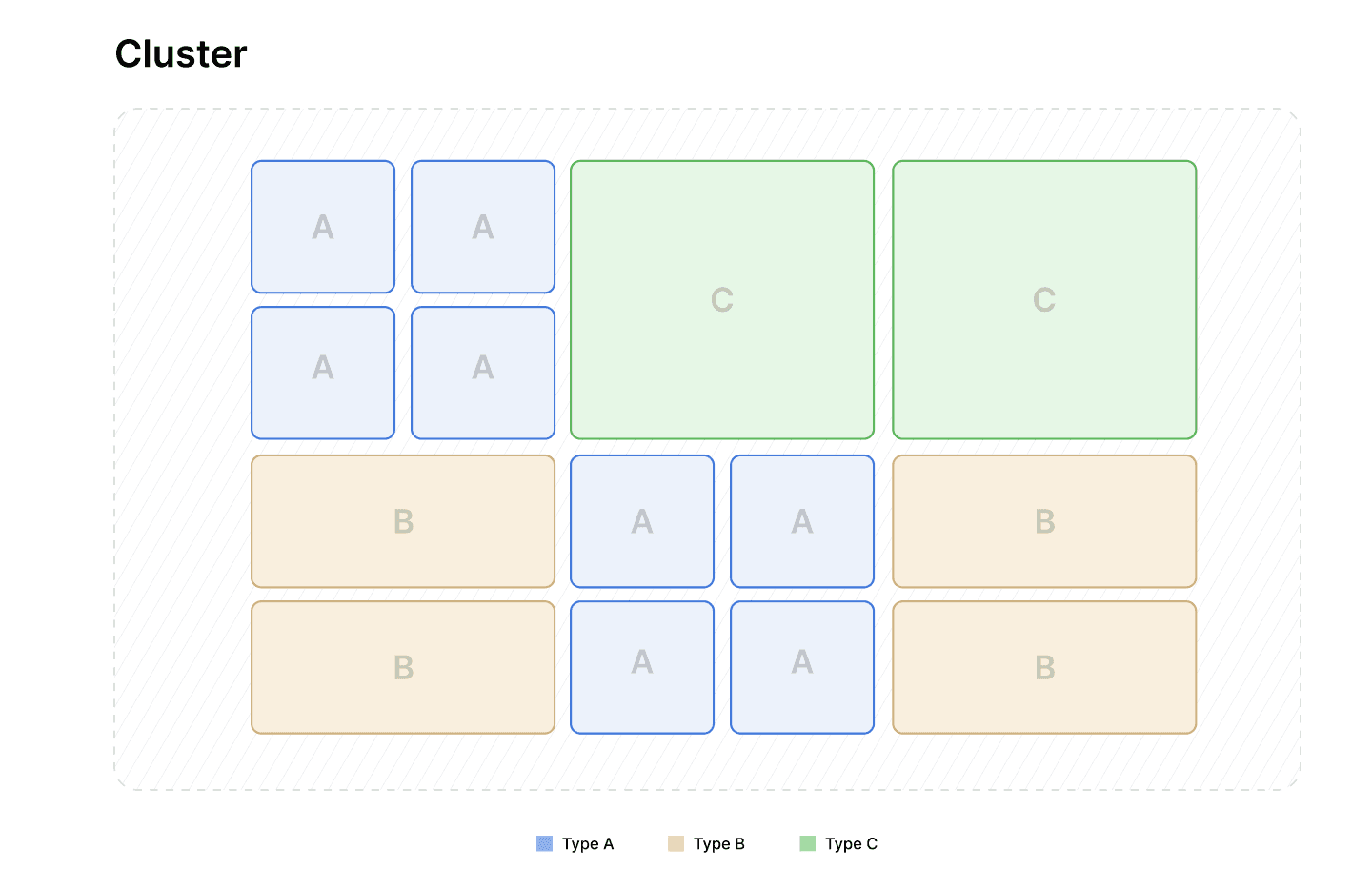
Diagram representation of cluster
A cluster could have different unit types within it, multiple units of the same type would look Identical and the units can be monitored at the individual level as well as at the cluster level.
One of the greatest challenges in this framework was creating a cluster. Going by our existing format, users would have had to create multiple projects one at a time. To ease this burden, a flow to bulk create multiple projects was designed, assigning each unit a Type at creation, allowing users to create multiple units of the same type at once and having a cluster with multiple units in just a few steps.
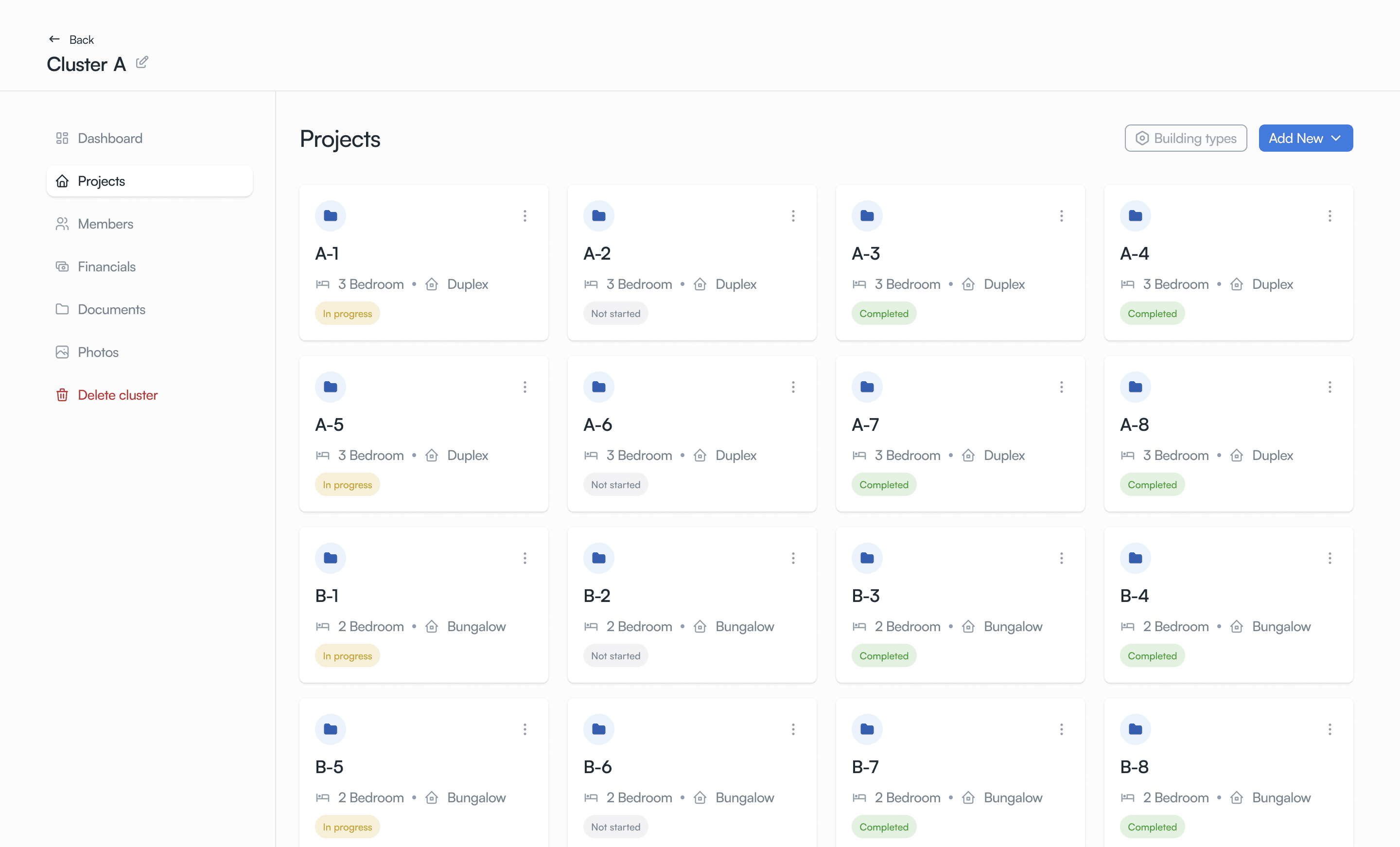
Cluster Projects
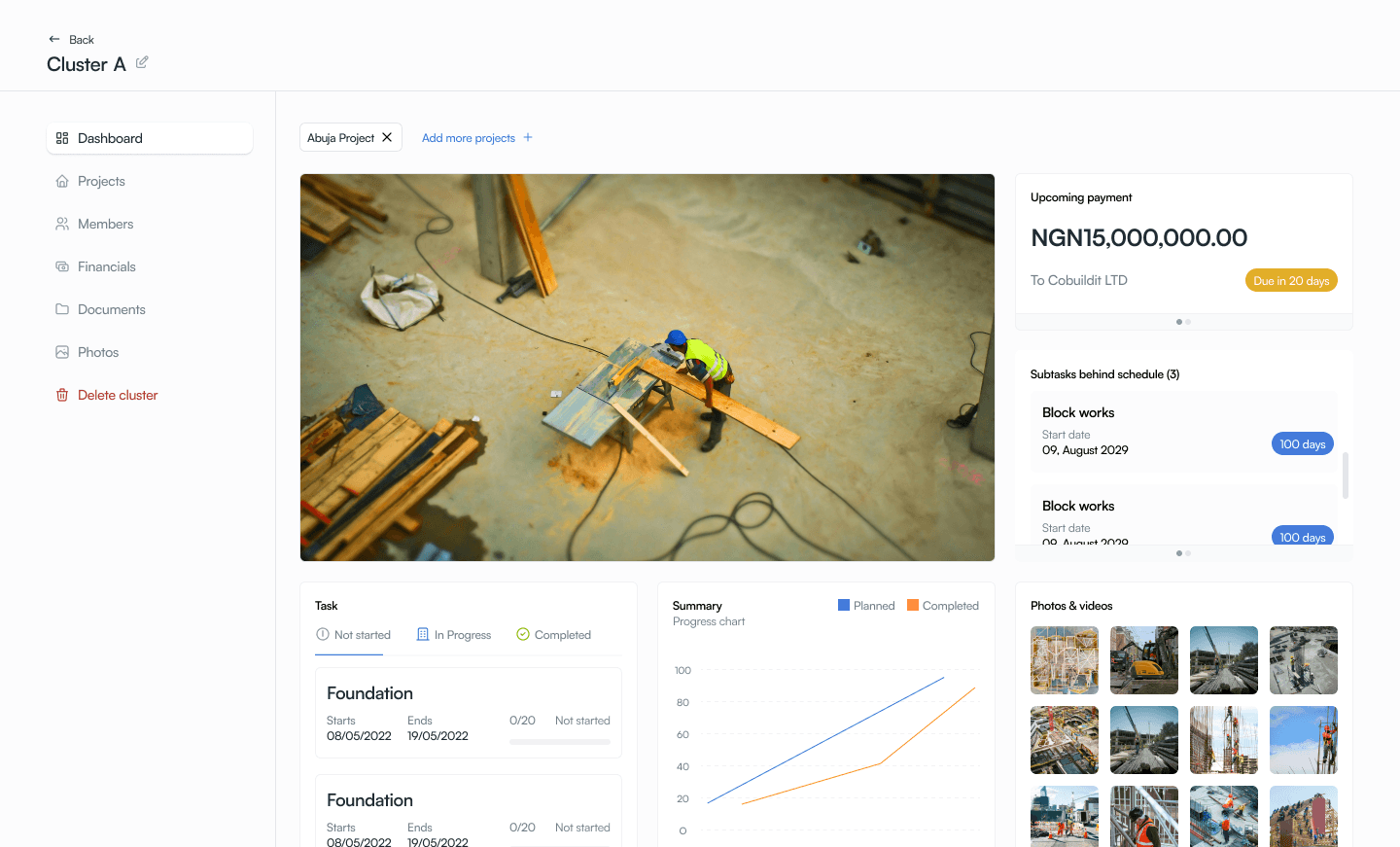
Cluster Dashboard
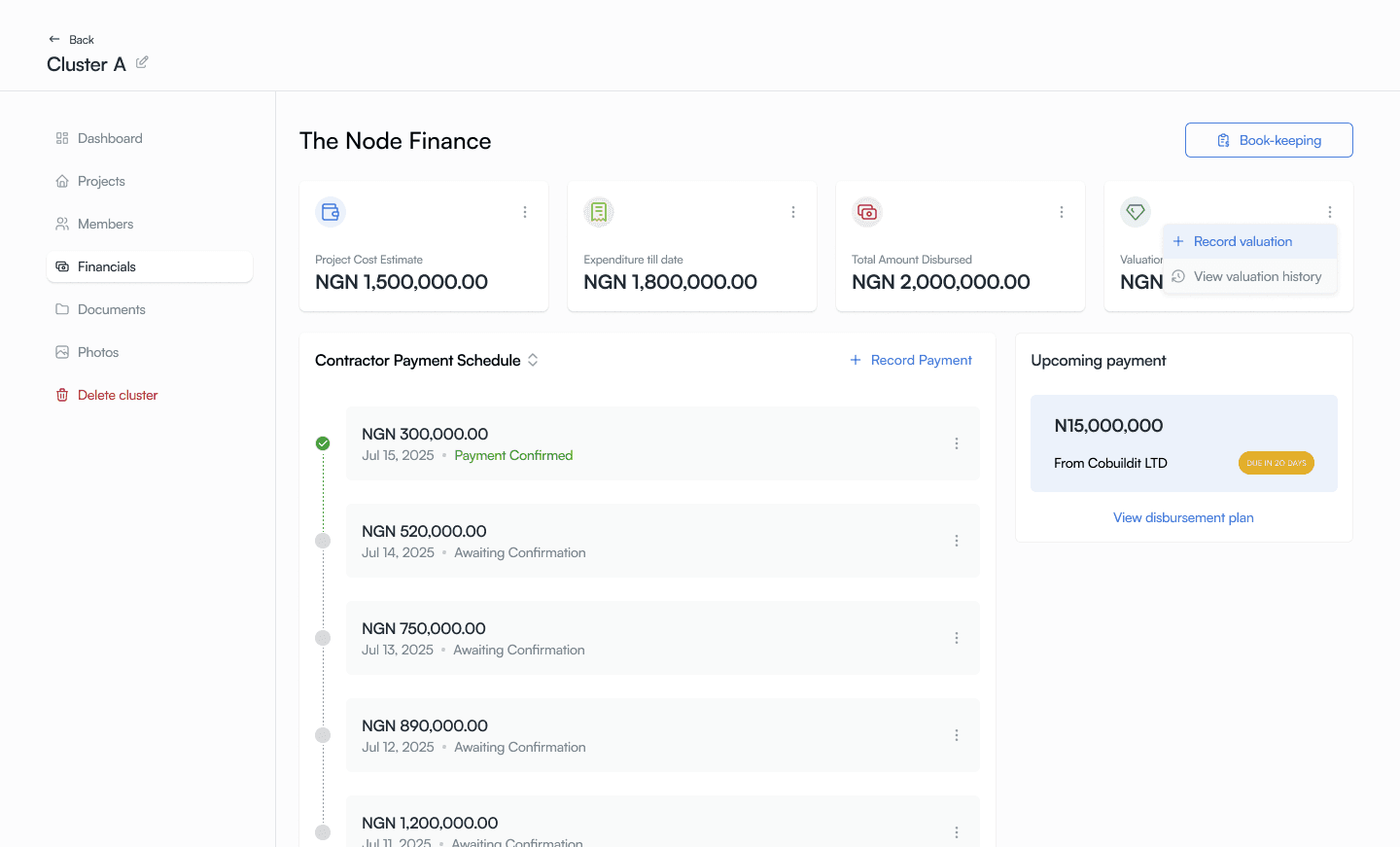
Cluster Financials
Architecture & Access
The enterprise module needed a different structure and a means of controling access
Information Architecture
The enterprise module needed a different structure entirely. So one of the earliest design decisions was actually remapping the information architecture for this module in order to get a sense of where everything would live. This new Information architecture needed to account for organizational level access as well as clusters and project sub-levels.
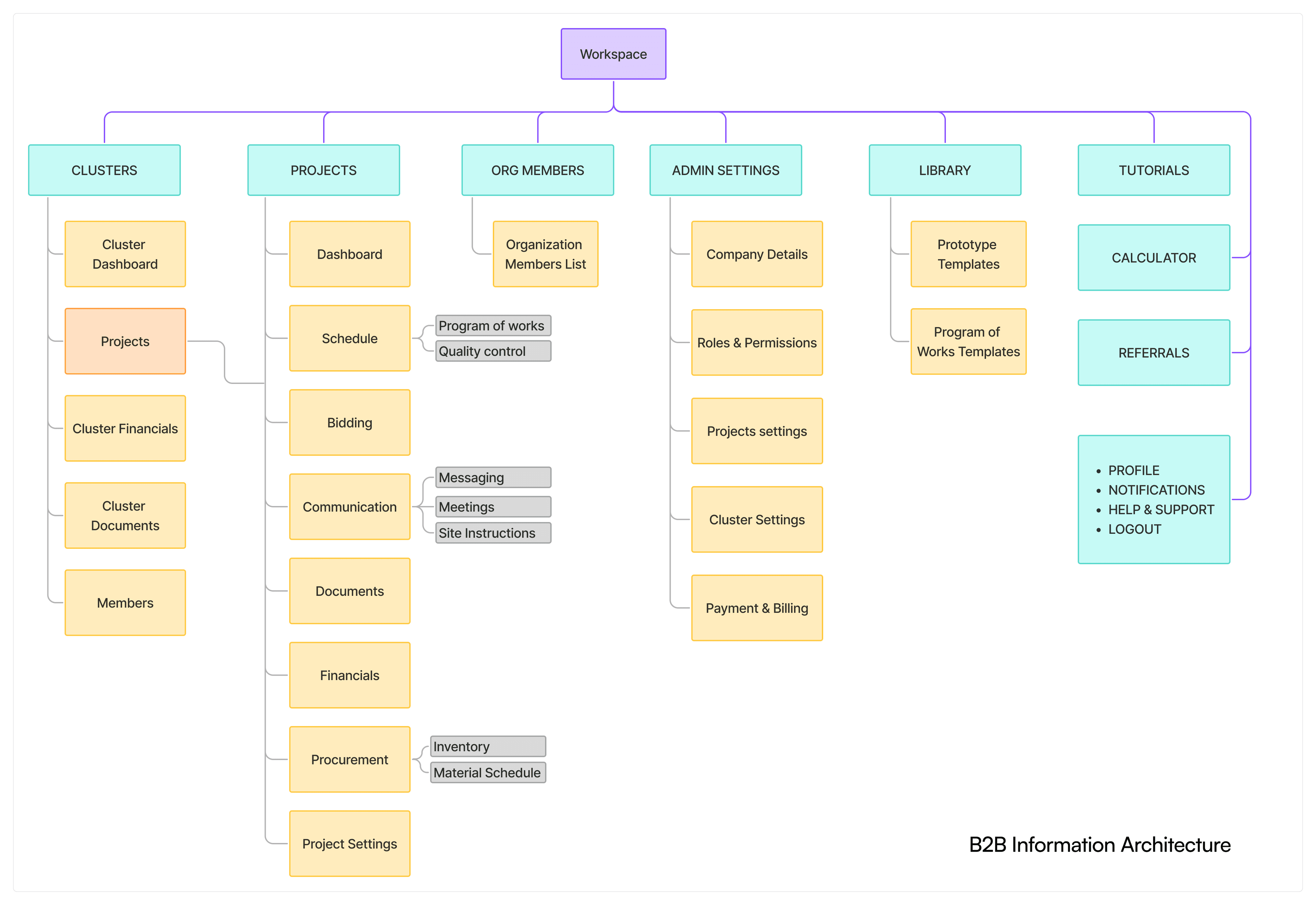
B2B Information Architecture
Onboarding
Large-scale developers bring their own staff. Admins needed to add users, assign them to projects, set permissions, get them access. The design had to account for users who were invited but not yet active, with no personal data to show yet.
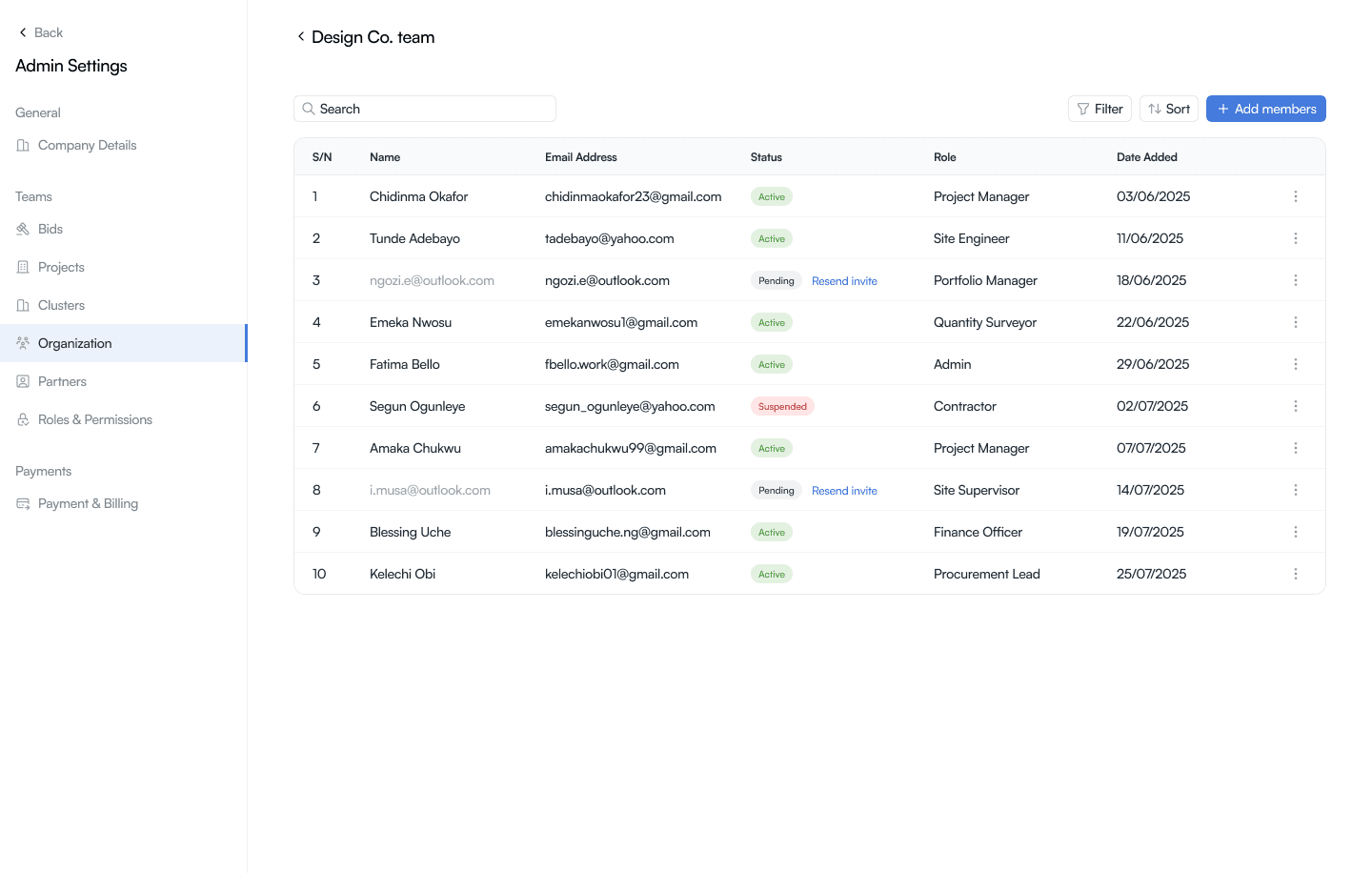
Inviting team members
Roles and Permissions
Access control was a top priority for large-scale developers, they needed some segregation so that different team members had different levels of access to functionalities and information. The solution for this was allowing them to be able to create their own tailored roles with curated permissions that could then be assigned to team members.
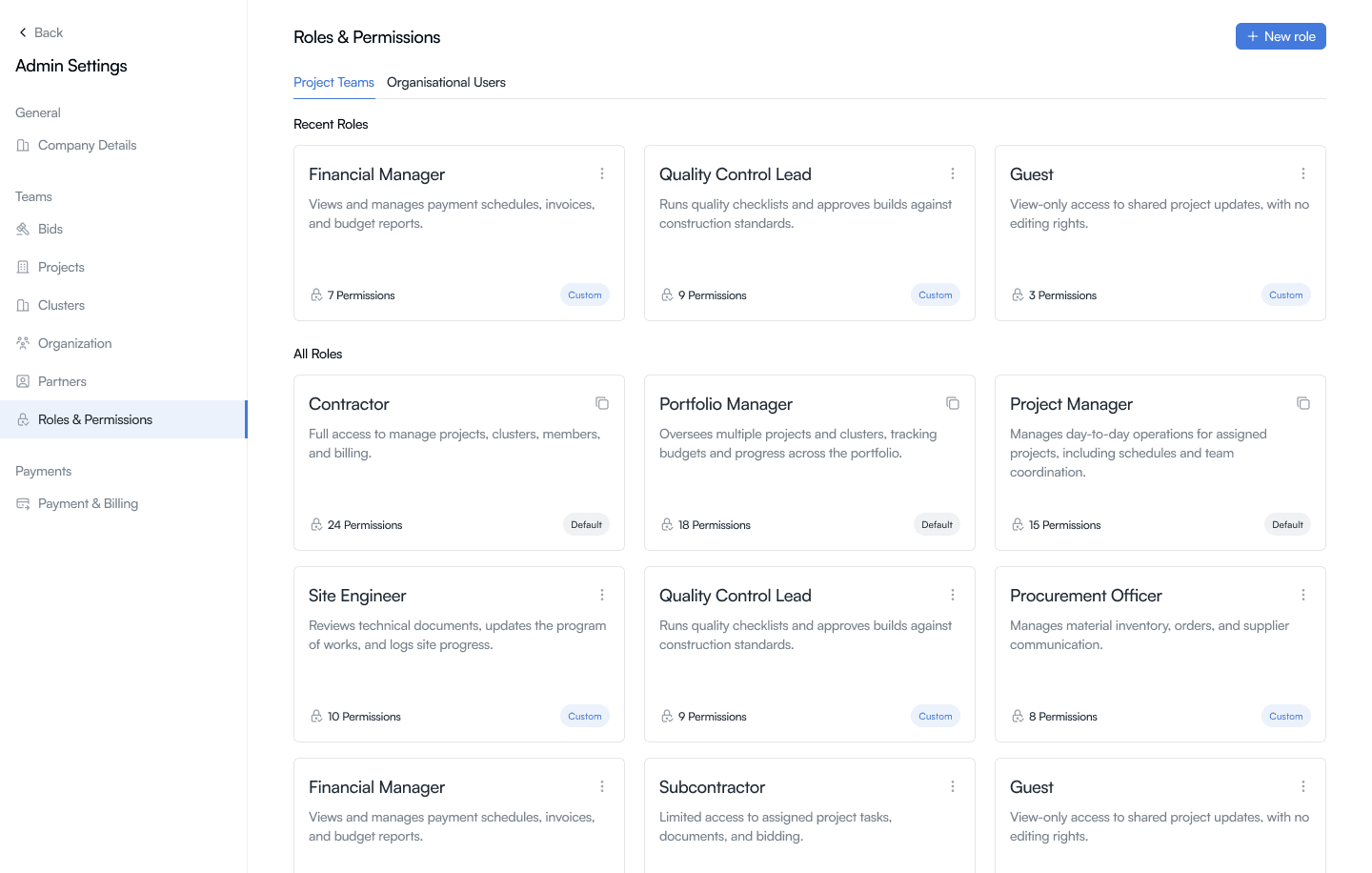
Roles library, default and custom
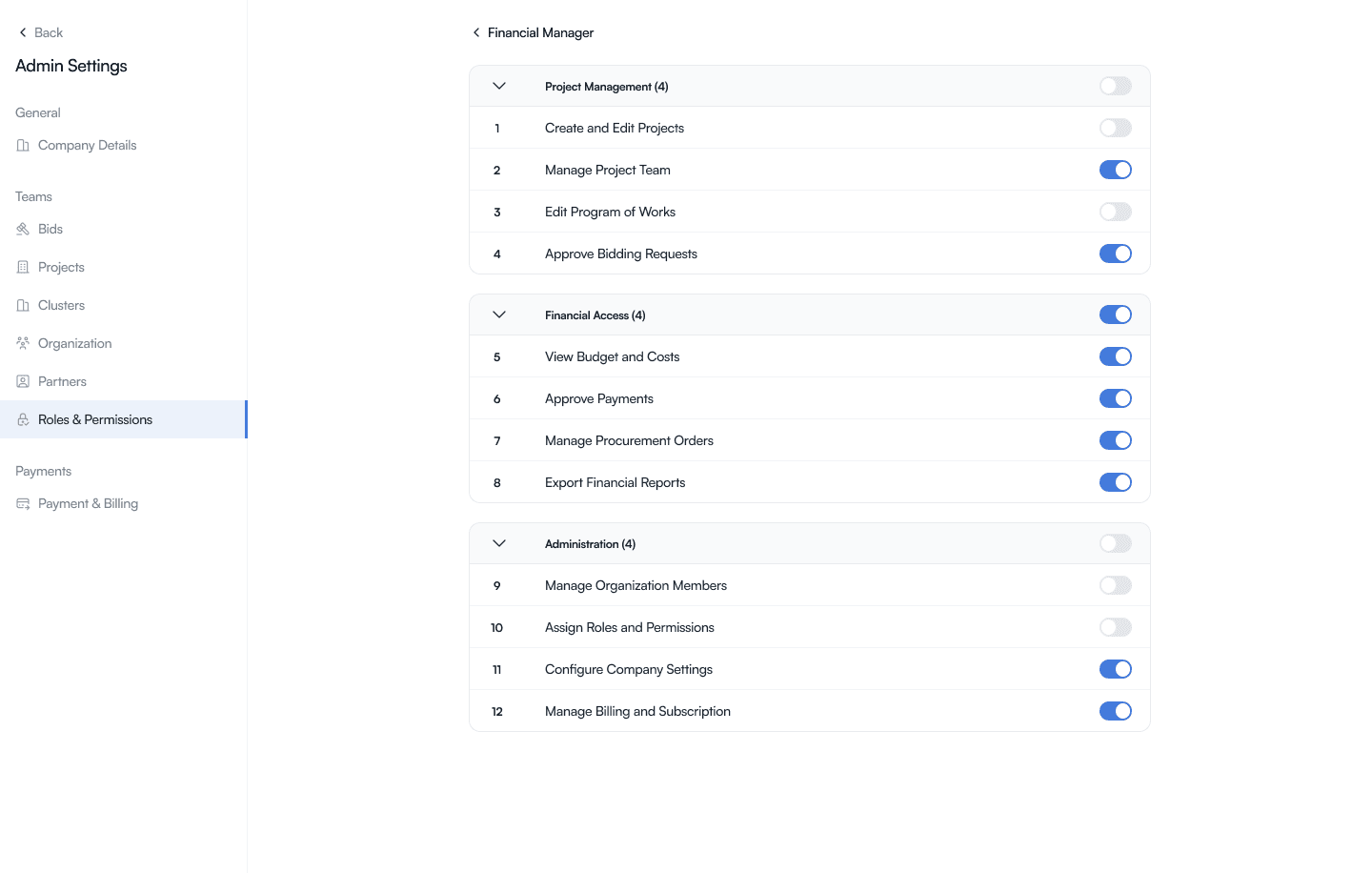
Tailoring permissions for a role
Materials Management
Proper management of materials can save both time and money for construction projects
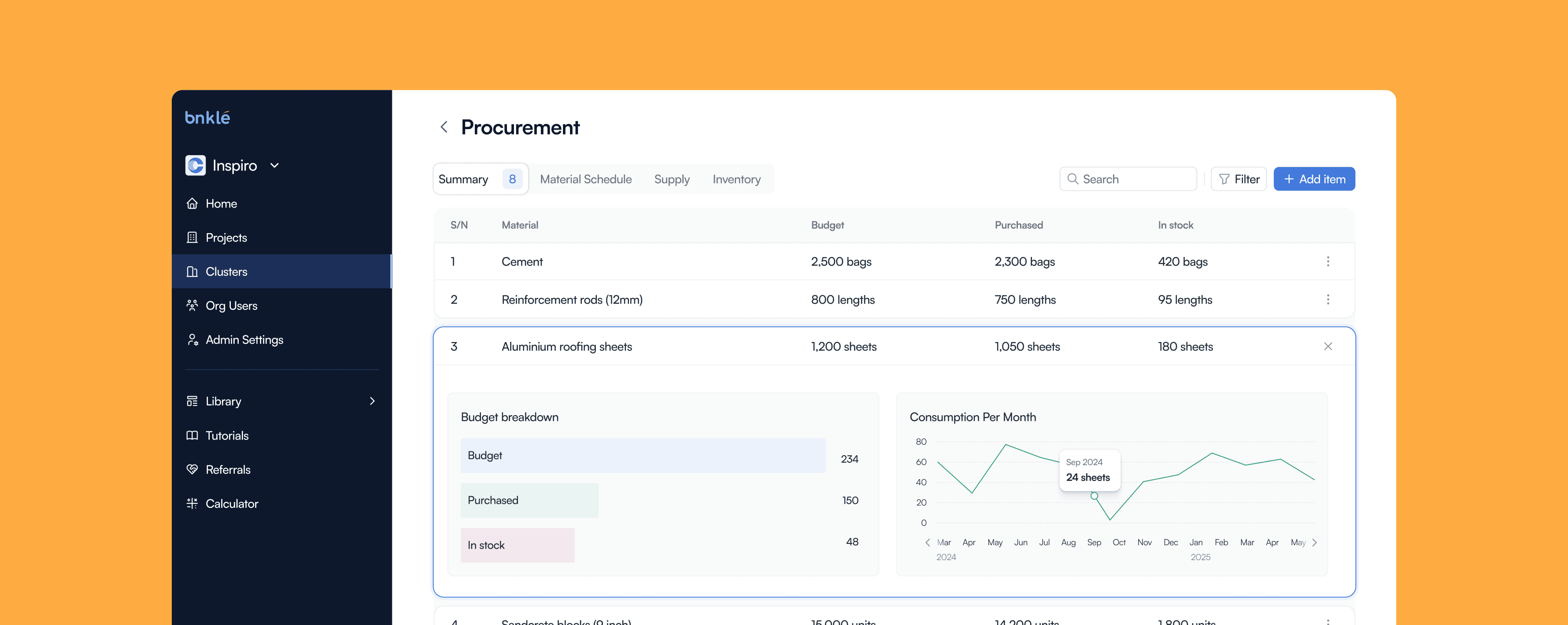
Materials management is critical to the construction lifecycle. Material availability directly impacts project timelines, and accurate projections from the bill of quantities enable better planning and budgeting. Proper management also reduces costs and prevents material loss through theft or mishandling.
Because of this, I created the Procurement Dashboard to help large-scale developers mitigate these risks: plan material needs accurately, manage inventory effectively, and ensure work doesn't stall due to unavailable materials.
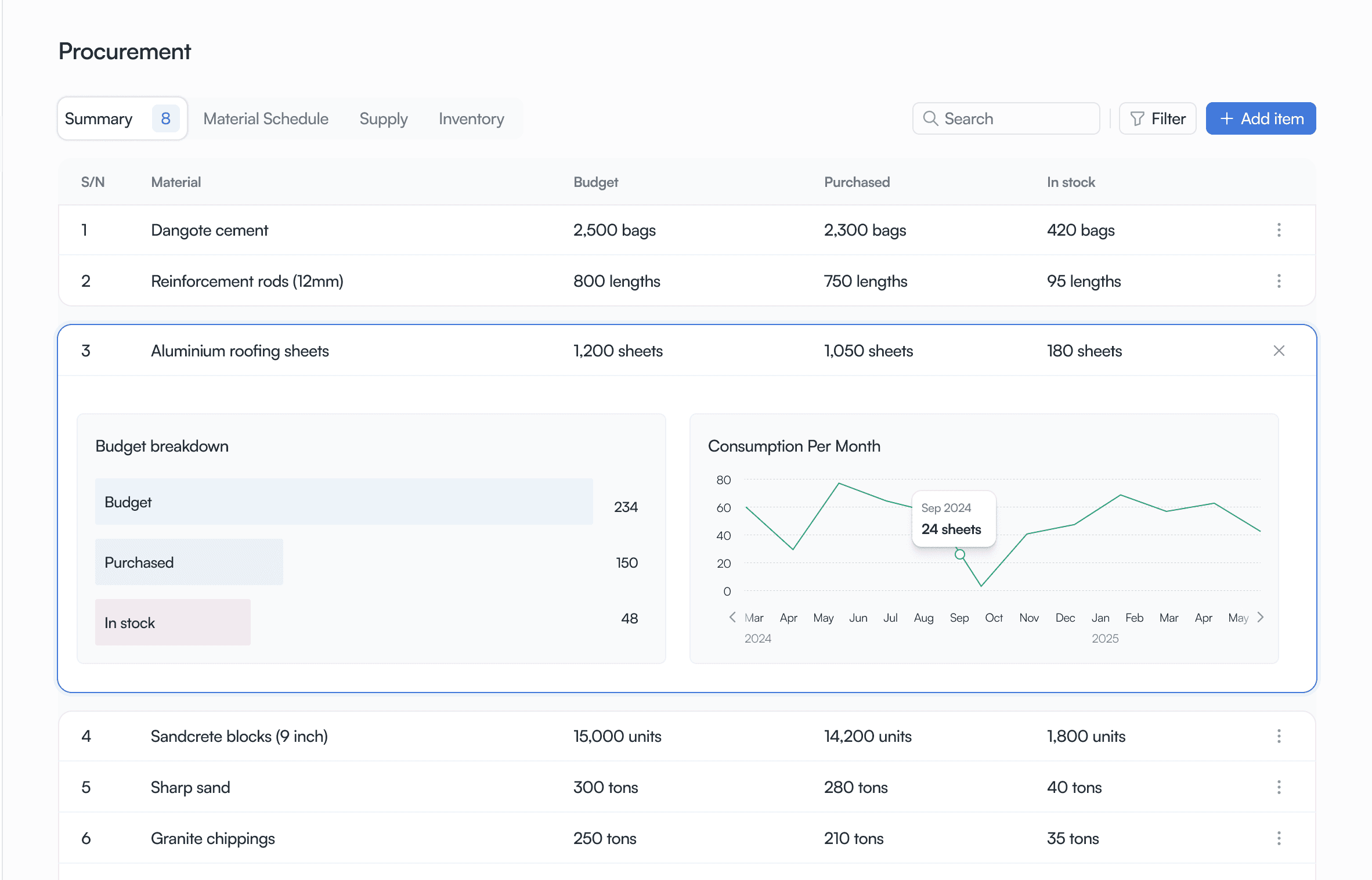
Procurement summary
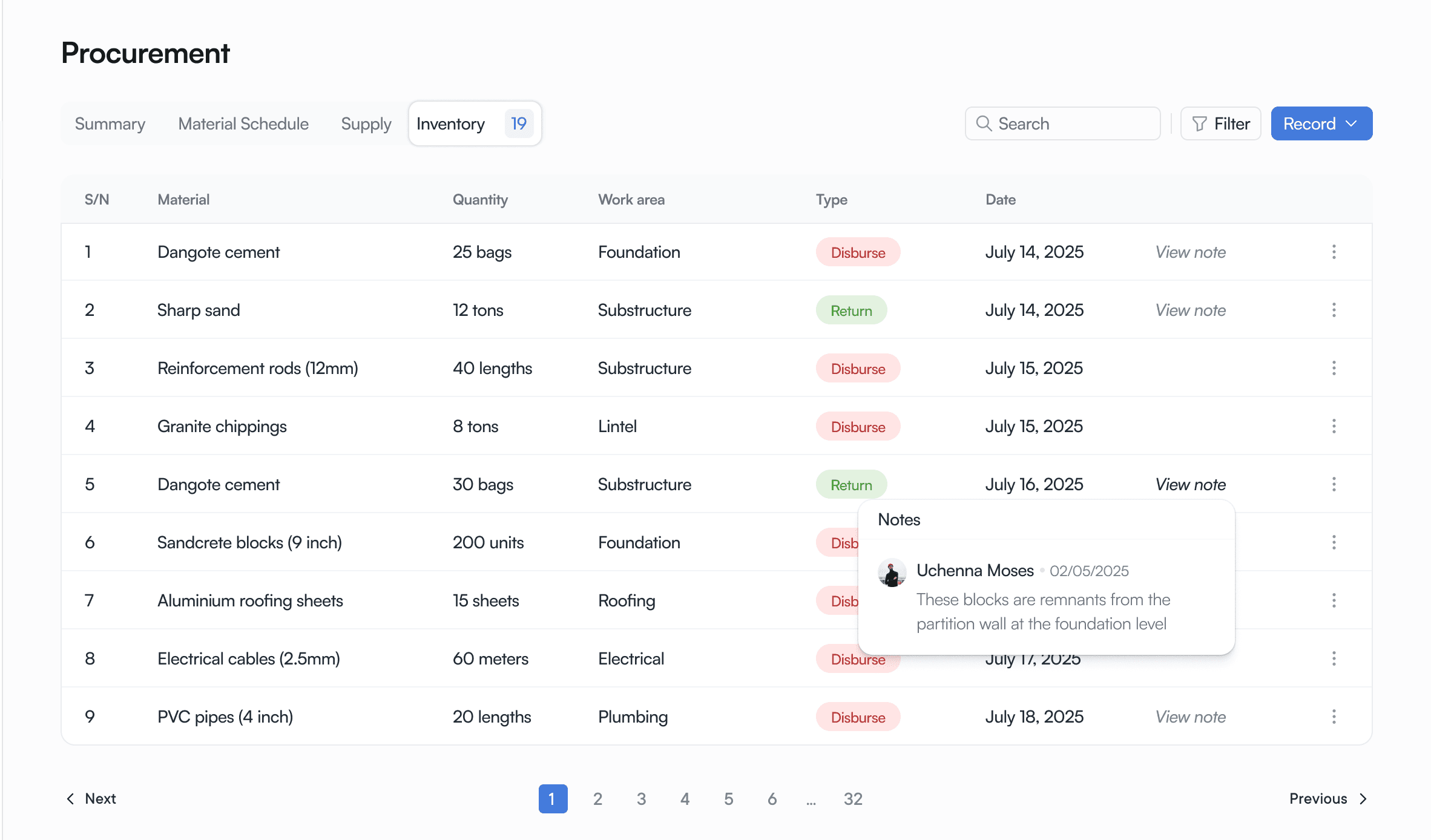
Inventory management
I designed a threshold system in order to set a threshold for each material, and when inventory approaches that level, the user gets alerted. This signals when to reorder before you run out.
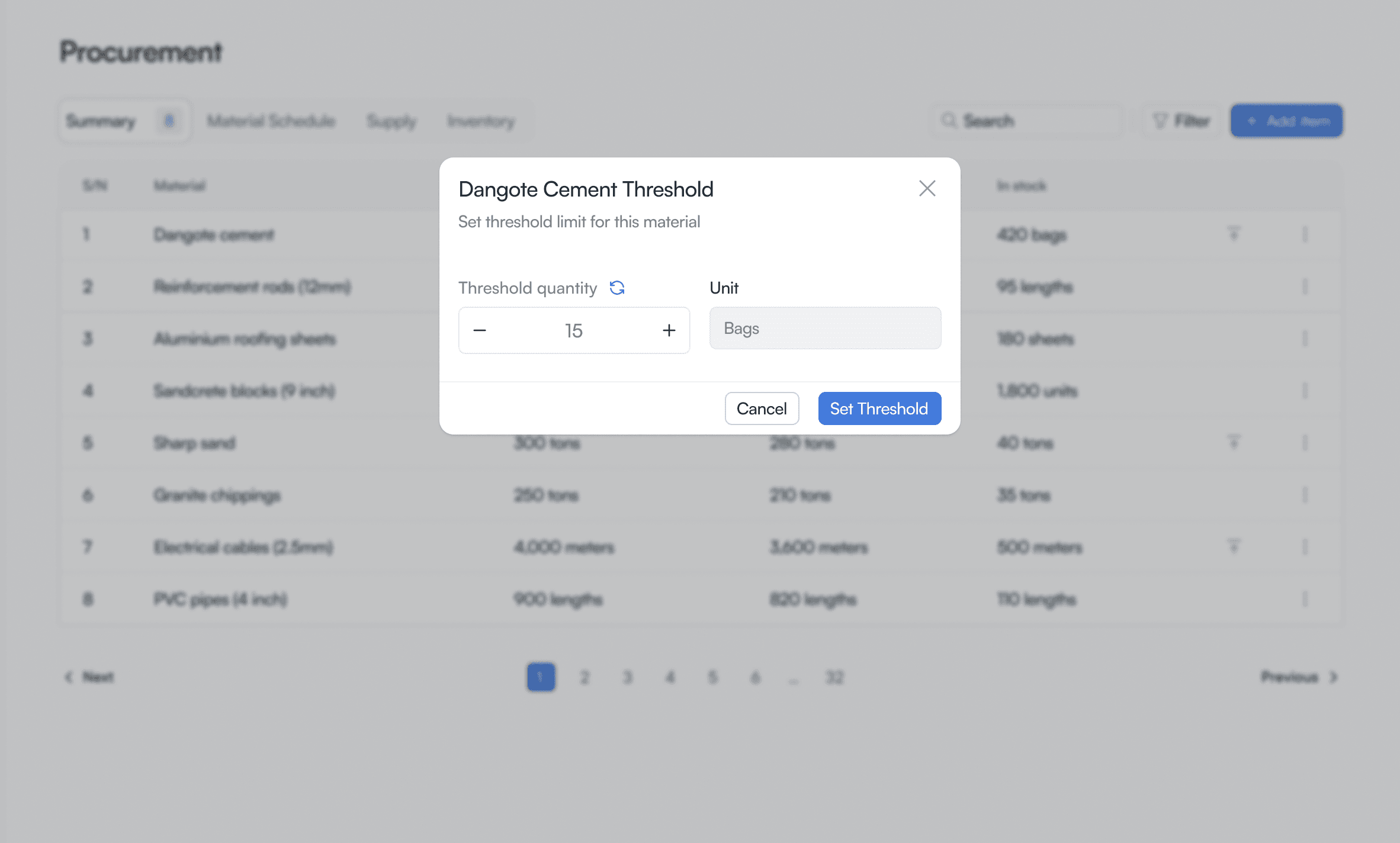
Setting a material threshold
Quality Control
For large-scale development there has to be a way to maintain standards across builds
Quality Control
For large-scale developers managing multiple builds across different locations, maintaining consistent quality standards is a challenge. Project managers of varying expertise need a shared framework to ensure every build meets the same quality bar. This led us to create a quality control feature that lets on-site project managers vet builds against a standardized checklist.
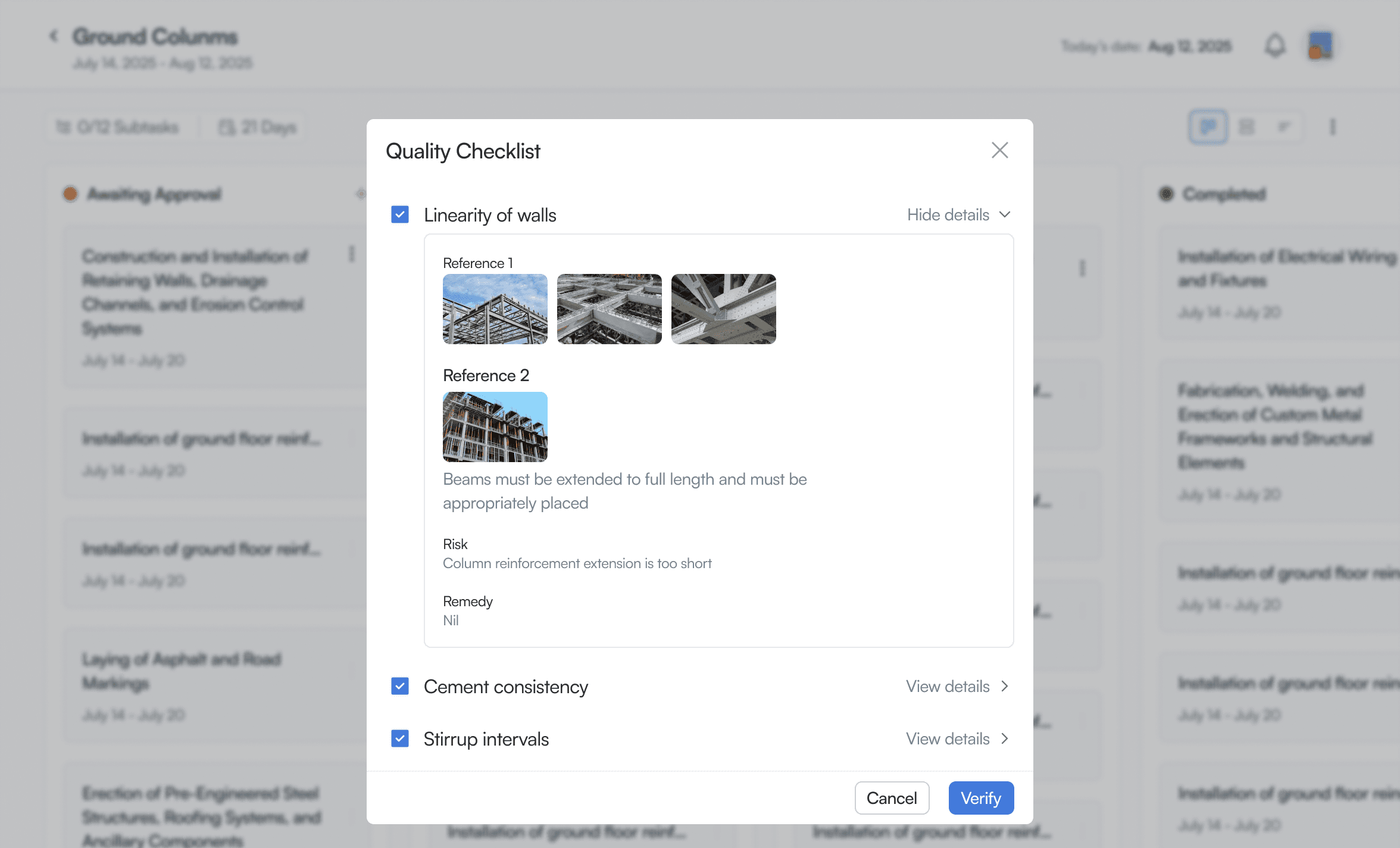
Quality checklist, on-site project manager view
Checklist Library
We built a library of common quality control items drawn from the operations team's knowledge, and gave enterprises the ability to add their own custom items. The design worked well initially, but when we populated it with real content, the layout broke. The actual content structure had more items in a category than the original design planned for, this led to a redsign that held up regardless of the number of items within each category.
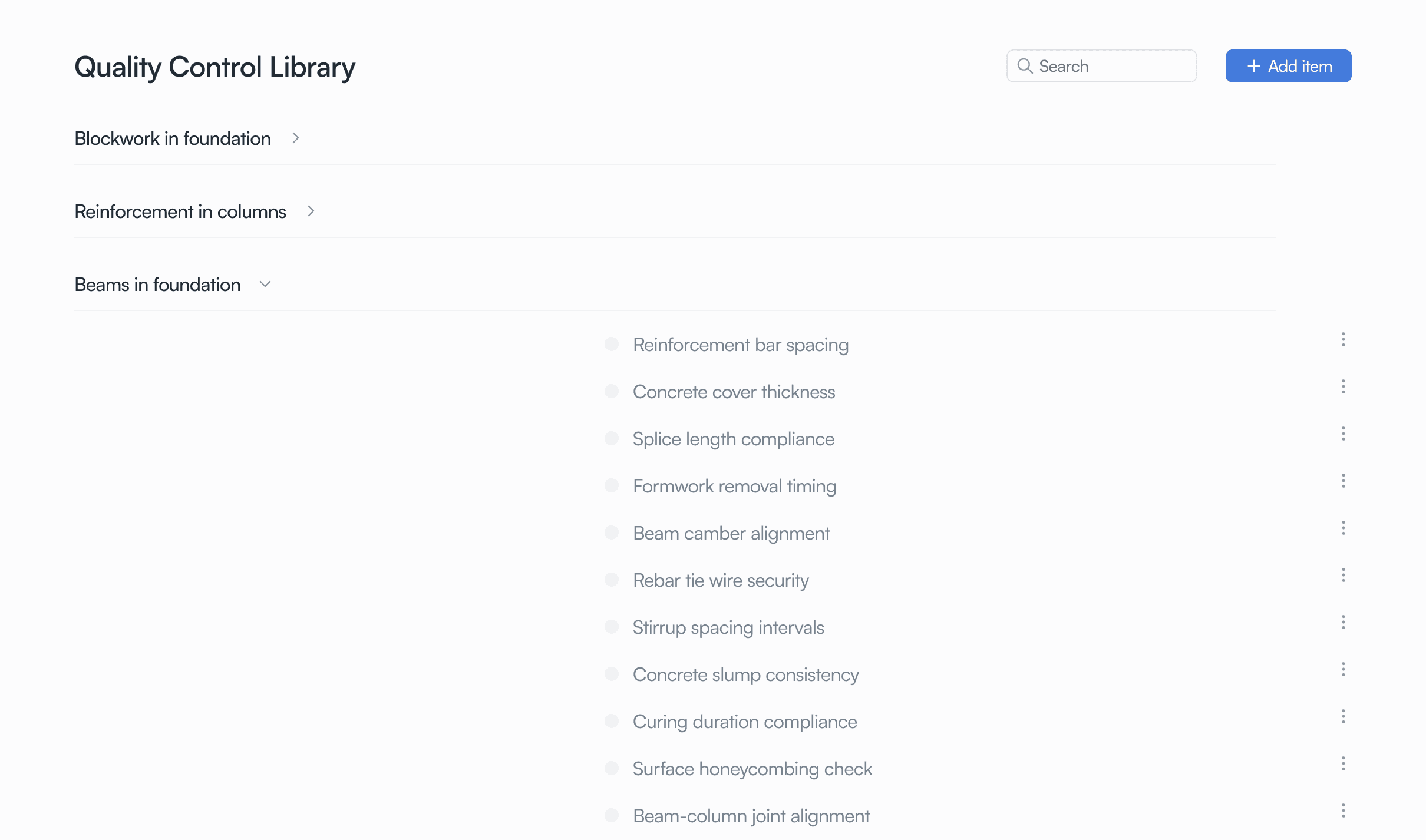
Before: layout breaks with real content
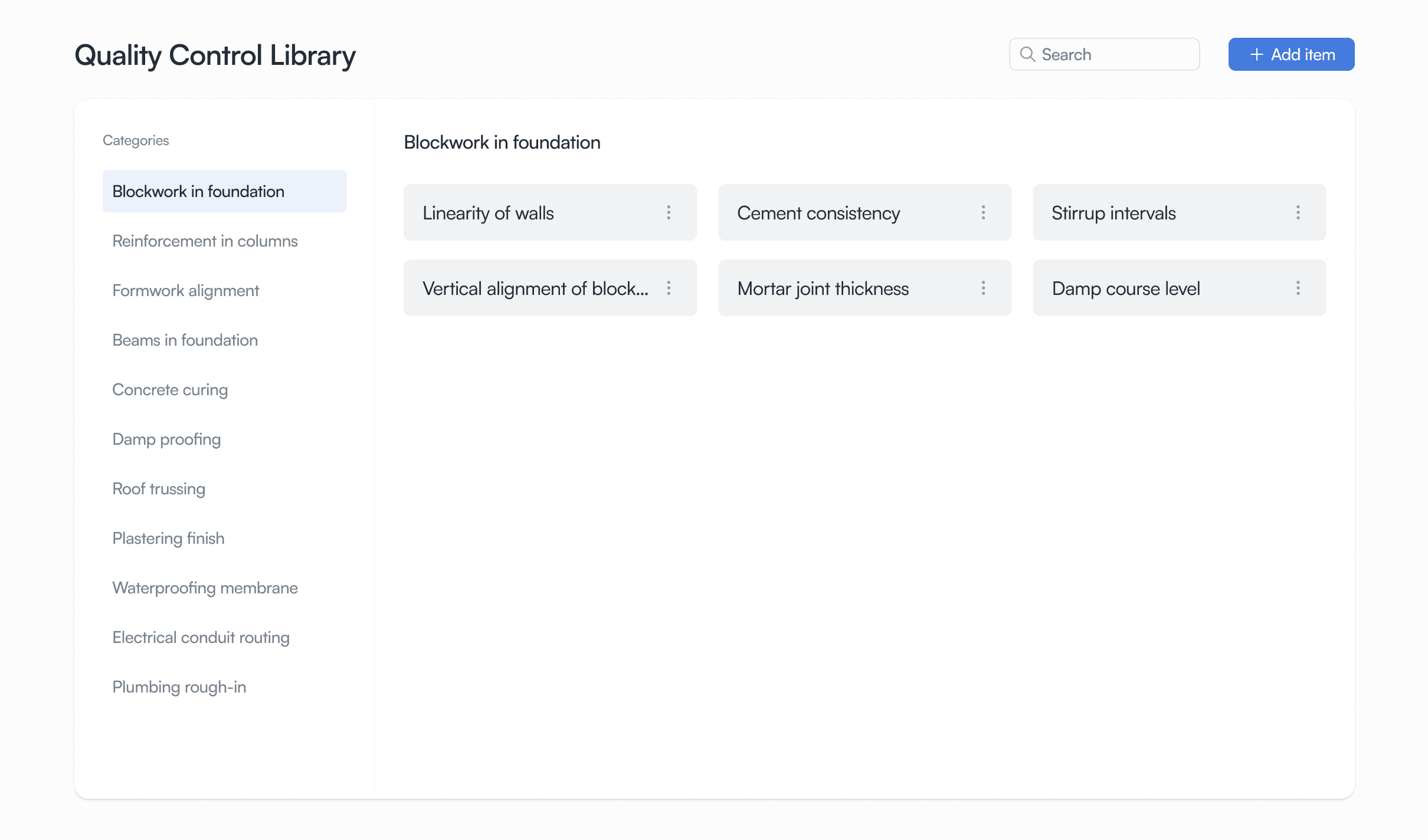
After: redesigned for variable-length data
Site Instructions
We also introduced site instructions, targeted guidance for specific areas of the build, to ensure clear, consistent communication with whoever is on-site executing the work.
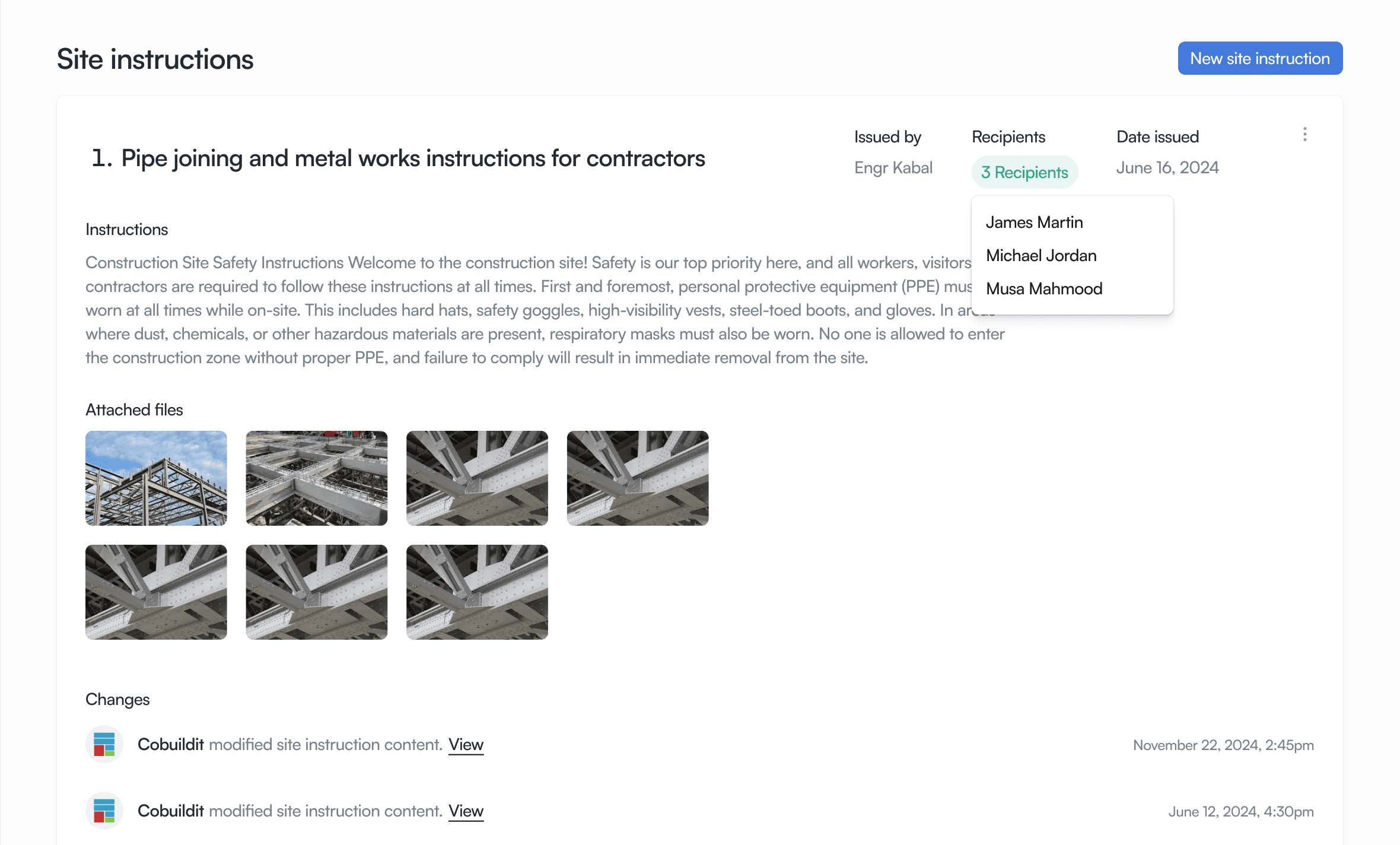
Site instructions
Design consistency
Keeping the design system honest at scale
As the product grew, drift crept in. Components stopped matching across the build. We built and maintained a design system, 40+ components, five engineers using it.
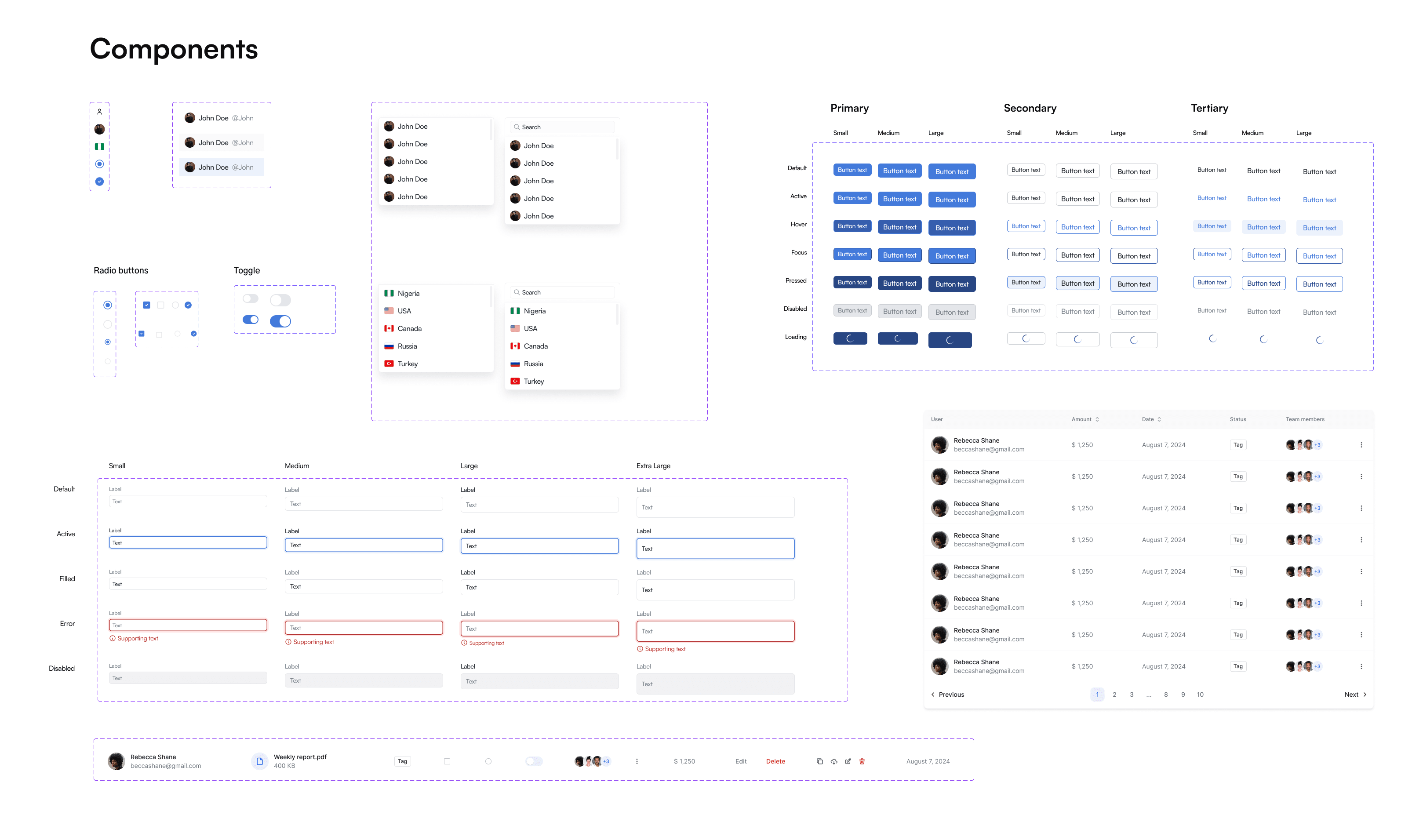
Design system components
Tackling Inconsistencies
A system isn't something you finish once, and we had to maintain it while still building the product. I ran regular teardowns of the live product, catalogued inconsistencies, ranked them by severity, so engineers knew what to fix first.
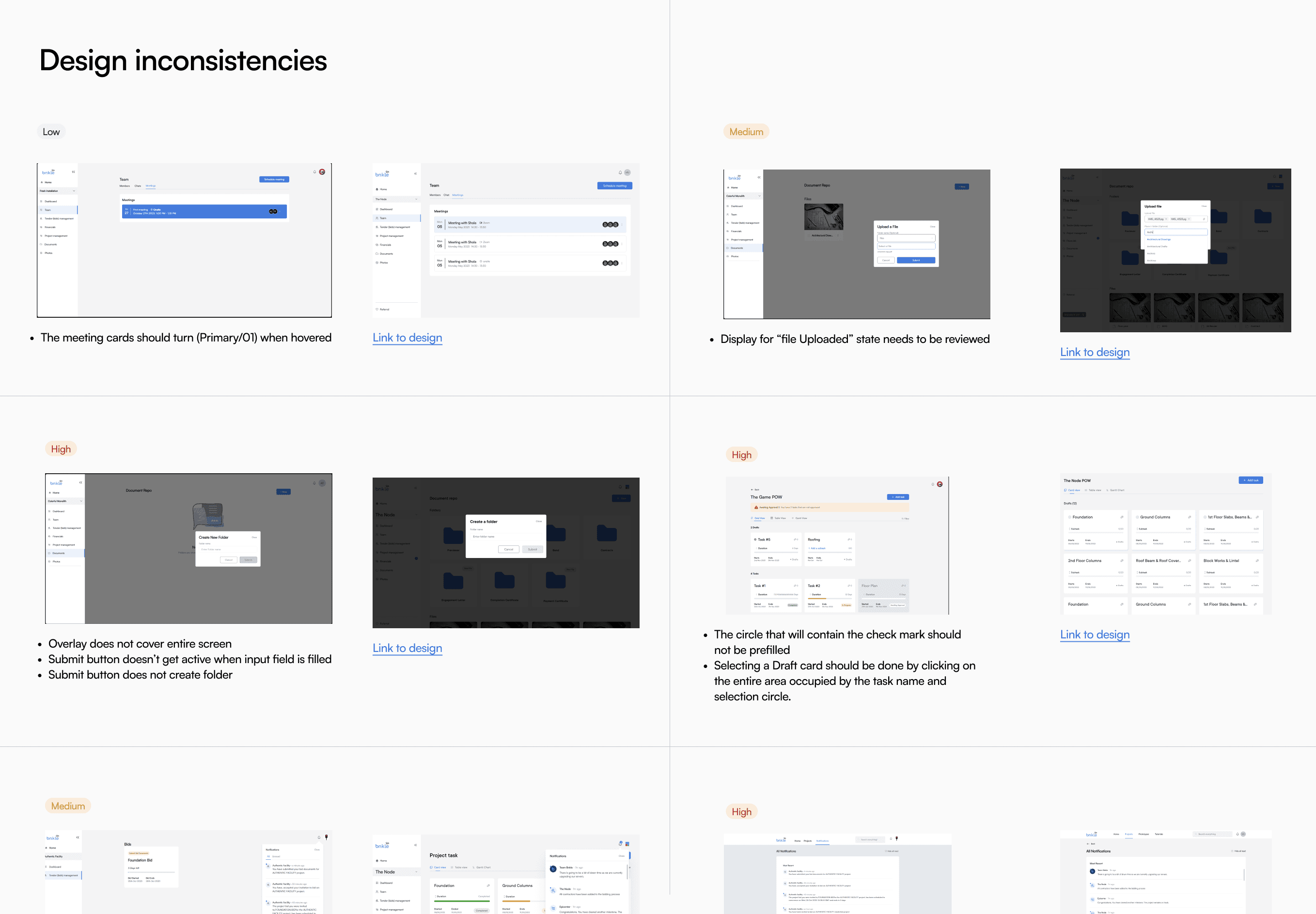
Design inconsistencies, catalogued by severity
Reflection
What I'd carry forward
When giving users control, give them guardrails
Custom roles were vital for large-scale developers, but some defaults had to stay locked, as an example of what a role's permission set might look like, and for teams that didn't need custom roles at all. Planning for edge cases like pending invites and half-finished onboarding is just as critical when you're giving that much control.
Design with actual data from the field
Nigerian builders often use longer filenames, that's just the industry standard on the ground. We accounted for that by testing with what the field actually produces, not a clean placeholder.
What I'd do differently now
Instead of handing engineers a document categorizing design inconsistencies, I'd build the fix as a live prototype and keep the design system in code using AI tools. Closing the gap between what's designed and what ships.